

Community post
2 minute quick start - steem.ws API
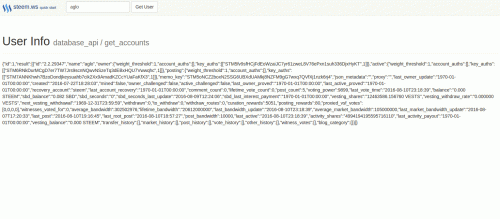
If anyone missed the trending page yesterday, @xeroc and @jesta released an api cluster (https://steem.ws) that allows us to connect directly to steem via websocket. I've found this tool incredibly useful for ad hoc analytics and wanted to share a quick guide to help folks get up and running.
This example utilizes the steem.ws websocket to display steem user data in the browser. Working sample also available here
Quick Start
Install dependencies if needed
sudo npm install serve -g
Grab the repo and serve
git clone https://github.com/gloneka/steem-ws-quickstart.git

cd steem-ws-quickstart

serve --port 3000
You should now be able to access the tool here: http://localhost:3000. Just enter a user name in the input box to see the corresponding steem data.
Websocket Setup
socket.js
var socket = new WebSocket('wss://node.steem.ws')

socket.onmessage = function(res, flags) {
    //res.data contains results
}
Steem API Format
{"jsonrpc": "2.0", "params": [], "id": 1, "method": ""}
This structure varies a bit between calls, so I've included a few additional examples below. I would also recommend checking out @xeroc's post: Steem API from a few months ago.
//user info
socket.send('{"jsonrpc": "2.0", "params": [["aglo"]], "id": 1, "method": "get_accounts"}')

// # of registered accounts
socket.send('{"jsonrpc": "2.0", "params": ["database_api", "get_account_count", [1]], "id": 1 "method": "call"}');

//trending categories
socket.send('{"jsonrpc": "2.0", "params": ["database_api", "get_trending_categories", ["",50]], "id": 1 "method": "call"}');

//order book
socket.send('{"jsonrpc": "2.0", "params": ["database_api", "get_order_book", [100]], "id": 1 "method": "call"}');
Thanks for reading! I hope you found this helpful.
Replies (5)
Thanks for writing it. One of the complaints made by STEEM critics claims that it won't scale. (They seem to assume that steemit.com is the only Web interface available.) Folks like, say, me setting up user-interface nodes would certainly help take a load off the overworked servers of SteemIt :)
Absolutely agree. I prefer not having to run my own node to interface with steem.
This is really helpful for Devs. I'd request to add steem-api tag to API related posts for quick reference at a later date.
Thanks. I've updated the tags to include steem-api.
Hi @aglo,
Good suggestion!
I'm looking for an API that allows me to create content (POSTs). I have been reading the documentation and it seems that we can only retrieve information or just create a comments or up-vote.
I wonder if you could point me to some API that allows creating POST in steemit.com.
Thanks,
@realskilled