

Community post
How To Purchase WAEC Scratch Card Using MTN MoMo
With the help of MTN MoMo you can purchase your WAEC Scratch Card with less hassle. Follow this Simple steps to purchase your WAEC Scratch Card and read this Post to learn how to check it Online. Drop Comments below if any Problem Occurs.
STEP 1:
Dial *711*1000# on your Phone with MTN Sim card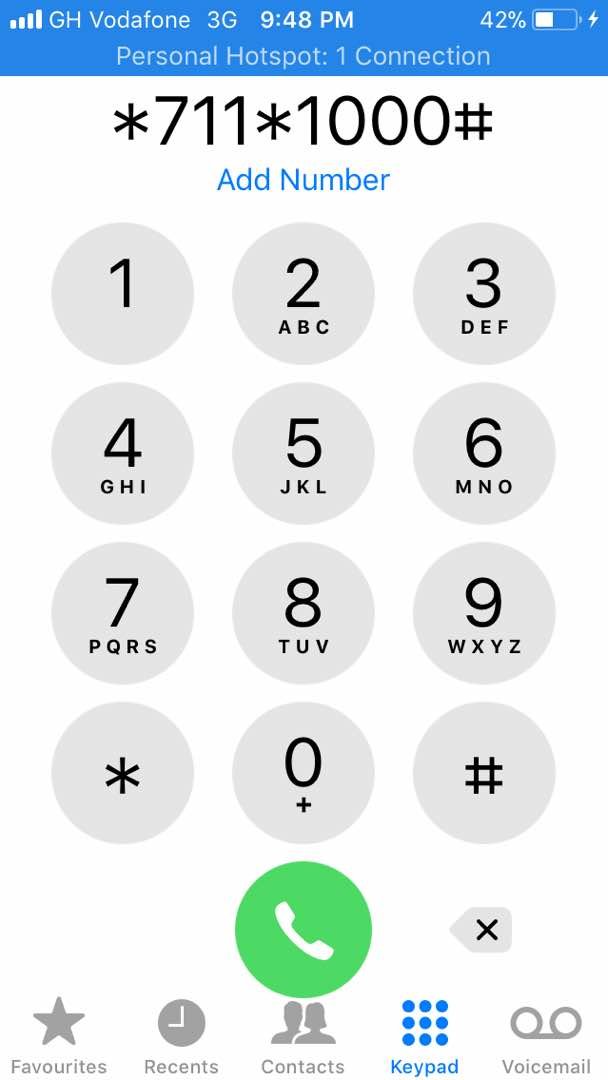
STEP 2:
Select the type of your mobile money Account either Individual or Merchant Account. In this Tutorial, we are Using the Individual Account.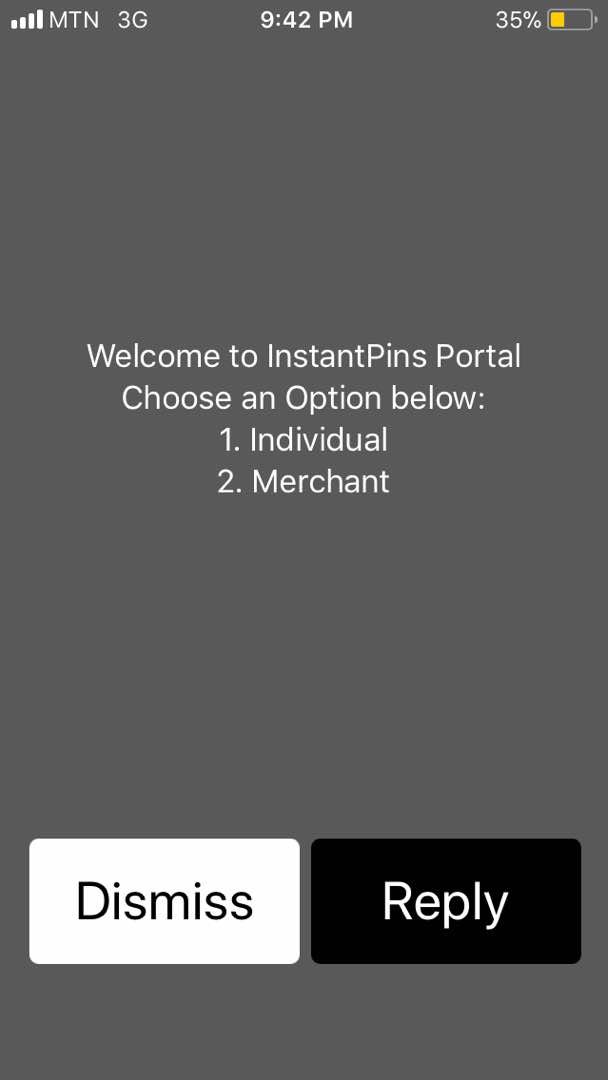
STEP 3:
You select number 2 on the List ie WAEC results Checker Card to proceed to the next screen.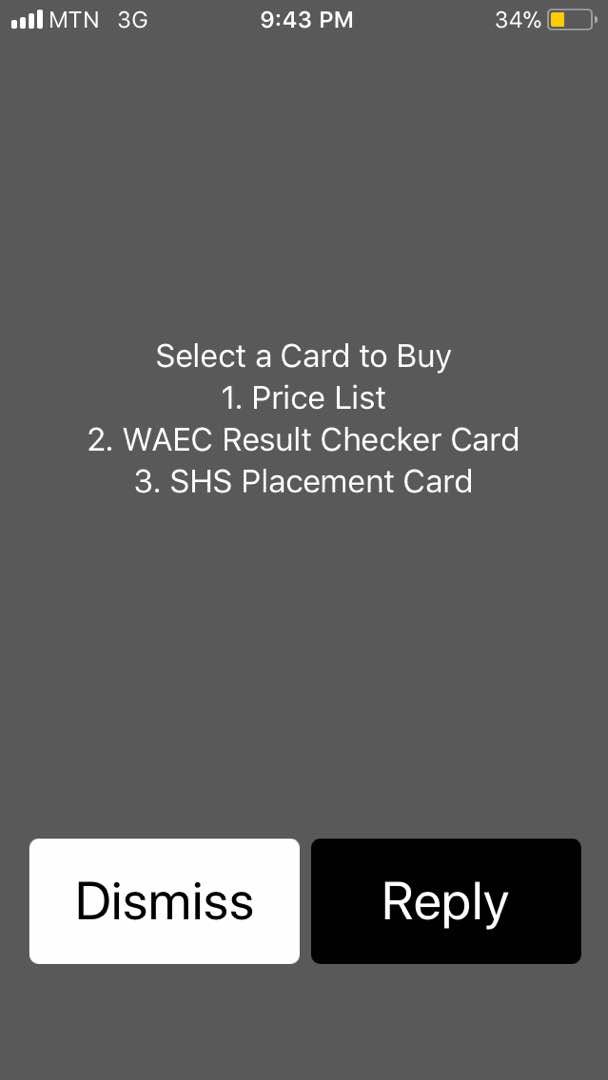
STEP 3:
On the next Screen is a prompt telling you A Bill prompt has been sent to you for Payment for a fee of GHS12.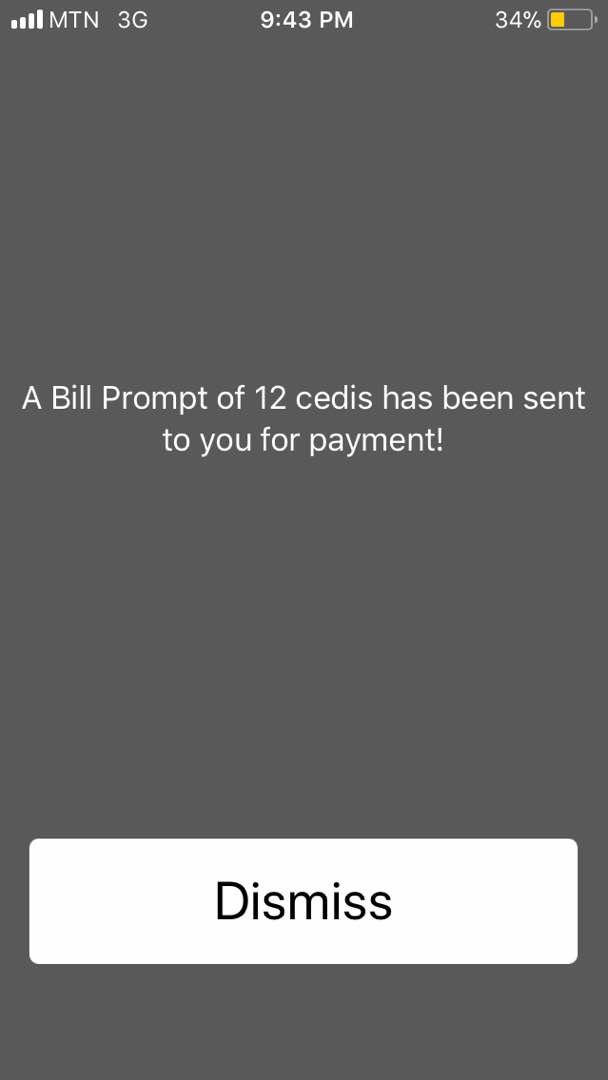
STEP 4:
Enter Your Mobile Money Pin, and submit. Your PIN and Card Serial Number will be sent to you within a minute.
Drop Comments If you want help to do it. If you have a story and want to share with forum-gh Please you can send it to our WhatsApp Number(0245957860).
Posted from my blog with SteemPress : https://forum-gh.com/purchase-waec-scratch-card-using-mtn-momo/
Replies (3)
Hello! I find your post valuable for the wafrica community! Thanks for the great post! We encourage and support quality contents and projects from the West African region.
Do you have a suggestion, concern or want to appear as a guest author on WAfrica, join our discord server and discuss with a member of our curation team.
Don't forget to join us every Sunday by 20:30GMT for our Sunday WAFRO party on our discord channel. Thank you.
Congratulations! This post has been upvoted from the communal account, @minnowsupport, by agyapong from the Minnow Support Project. It's a witness project run by aggroed, ausbitbank, teamsteem, theprophet0, someguy123, neoxian, followbtcnews, and netuoso. The goal is to help Steemit grow by supporting Minnows. Please find us at the Peace, Abundance, and Liberty Network (PALnet) Discord Channel. It's a completely public and open space to all members of the Steemit community who voluntarily choose to be there.
If you would like to delegate to the Minnow Support Project you can do so by clicking on the following links: 50SP, 100SP, 250SP, 500SP, 1000SP, 5000SP.
Be sure to leave at least 50SP undelegated on your account.
Congratulations @agyapong! You have completed the following achievement on Steemit and have been rewarded with new badge(s) :
Click on the badge to view your Board of Honor.
If you no longer want to receive notifications, reply to this comment with the word
STOP