

Community post
Route all services and traffic through tor
Routing all traffic on a Debian/Ubuntu system through the tor network.

First head over too https://github.com/ruped24/toriptables2 and click the green "clone or download button".
Save the download to a convenient location and extract it.

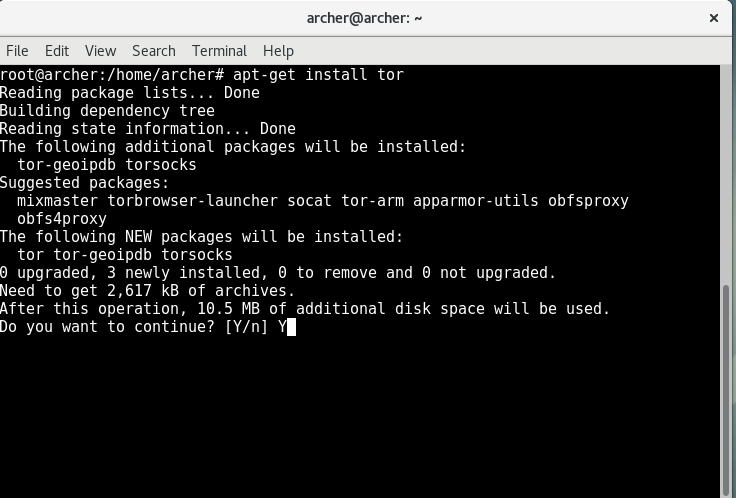
Open up a terminal, and install tor.
Note: Do not include the parenthesis surrounding any of the commands listed bellow.
Debian; Open up a terminal, type su, put in your root password then type the command "apt-get install tor". Type "Y" to proceed and download/install tor.
Ubuntu: Open up a terminal and type in "sudo apt-get install tor". Type in your password, then type "Y" to proceed and download/ install tor.
Using the terminal, navigate inside the folder we extracted earlier.

Run the python script labeled "toriptables.py" as so
Debian; (as root) "./toriptables.py -l"
Ubuntu; "Sudo ./toriptables.py -l"

Open a web browser. To make sure the script is working head over too https://check.torproject.org

When you are done with the script you can turn it off by using these commands;
Ubuntu; "sudo ./toriptables.py -f"
Debian; (as root) "./toriptables.py -f"

Replies (1)
Congratulations @archer007! You have completed some achievement on Steemit and have been rewarded with new badge(s) :
Click on any badge to view your own Board of Honor on SteemitBoard.
For more information about SteemitBoard, click here
If you no longer want to receive notifications, reply to this comment with the word
STOP