

Community post
OpenSCAD教程之"创建标签" | OpenSCAD tutorial -- Create Name tag
Summary:
OpenSCAD (version 2015.03-2) is the open source software for creating solid 3D CAD models. It is available for Linux/UNIX, Windows and Mac OS X, and it is a programming Solid 3D CAD Modeller. In this tutorial I will show you how to create a name tag. Let's start...
Result:
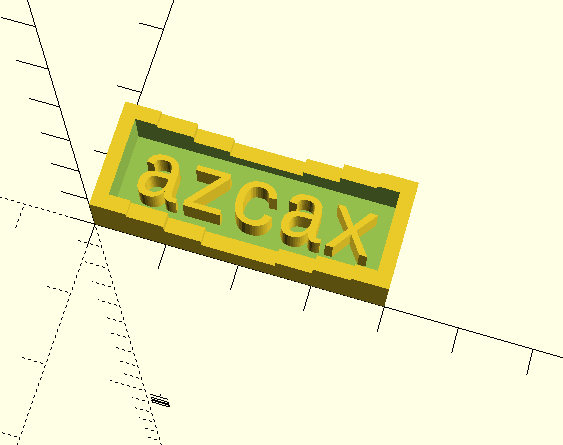
Step 1
创建方块
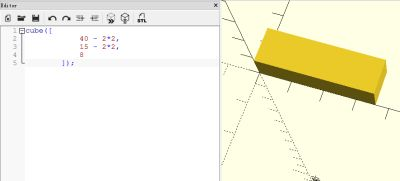
Step 2
将方块移动到2, 2, 1.9位置
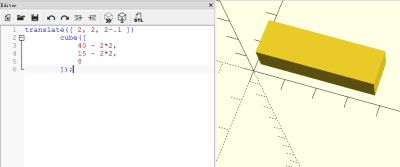
Step 3
创建一个台阶式的方块
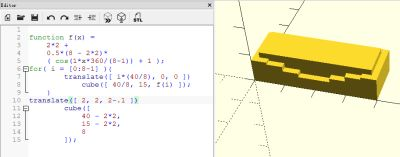
Step 4
用Step3中的方块布尔减去Step1中的方块
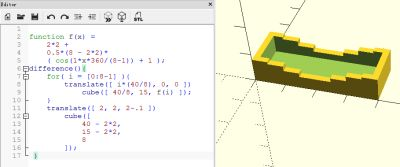
Step 5
创建文字azcax
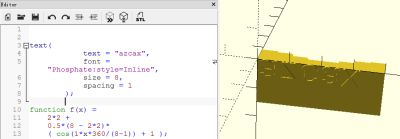
Step 6
拉伸文字
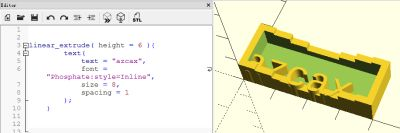
Step 7
将文字移动到4,4,0位置
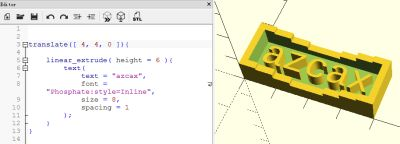
得到最终结果:
OpenSCAD code:
translate([ 2 + 2, 2 + 2, 0 ]){
    linear_extrude( height = 6 ){
        text(
            text = "azcax",
            font = "Phosphate:style=Inline",
            size = 8,
            spacing = 1
        );
    }
}
function f(x) =
    2*2 +
    0.5*(8 - 2*2)*
    ( cos(1*x*360/(8-1)) + 1 );
difference(){
    for( i = [0:8-1] ){
        translate([ i*(40/8), 0, 0 ])
            cube([ 40/8, 15, f(i) ]);
    }
    translate([ 2, 2, 2-.1 ])
        cube([
            40 - 2*2,
            15 - 2*2,
            8
        ]);
 }
Posted on Utopian.io - Rewarding Open Source Contributors
Replies (6)
Hi @azcax..... Nice post but out of my mind.
Followed you successfully.
@lachitsarmah, thanks for reading, follow you back :-)
Your contribution cannot be approved because it does not follow the Utopian Rules.
You can contact us on Discord.
[utopian-moderator]
@deathwing, thanks!
Congratulations @azcax! You have completed some achievement on Steemit and have been rewarded with new badge(s) :
Click on any badge to view your own Board of Honor on SteemitBoard.
For more information about SteemitBoard, click here
If you no longer want to receive notifications, reply to this comment with the word
STOPinteresting, I'll have to test this out.
I imagine this could be very good for generating fractal 3D models too, given they're defined mostly by their mathematical formula.