

Community post
Export your earnings from Genesis Mining into Excel
Either I don’t know where the feature is or they haven’t implemented it but for the life of me I couldn’t find how to know what my balance status was for a certain coin. So I decided I needed to export all the data in my payout table to a spreadsheet so I could actually calculate it myself.
But copy pasting from a HTML page is tedious, so I decided to automate it a little. So I wrote a recipe for the data-miner.io extension.
First install the data miner extension for Chrome or Opera (not sure if they have one for Firefox), for this purpose you can use the free extension.
Go to http://data-miner.io and click on “Add to Chrome”

After you have installed this extension:
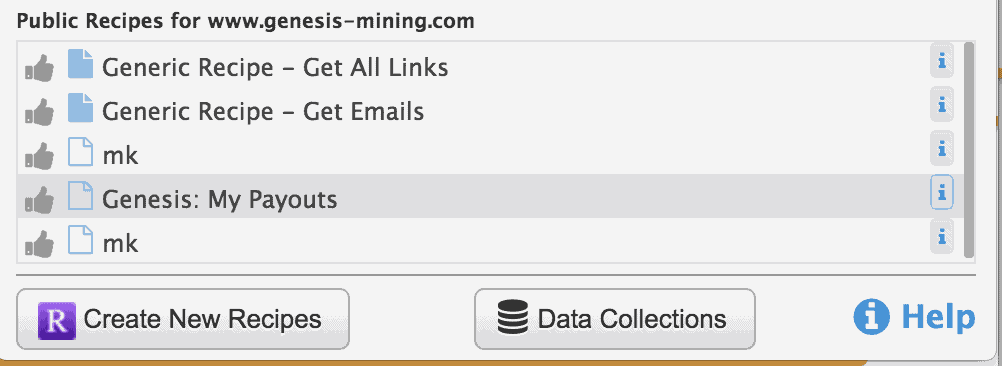
Then click on the extension and select the recipe I created, it’s called
Genesis: My Payouts
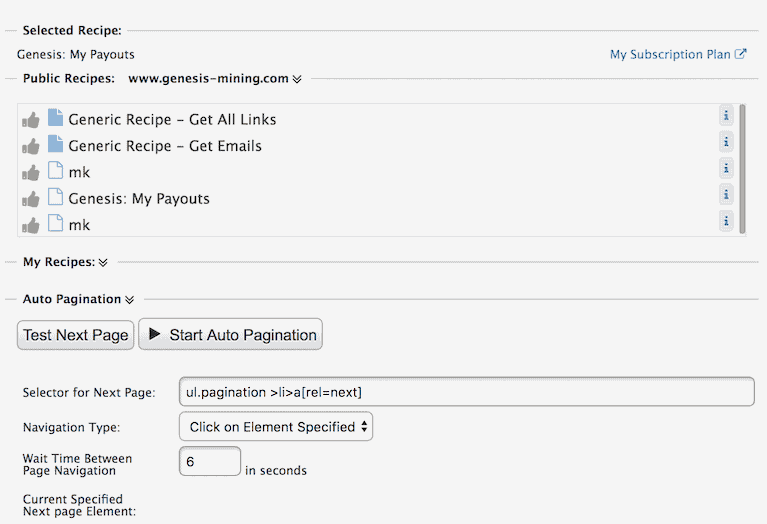
Next set a sensible duration for the page load depending on how fast or slow your pages load and
click on **>Start Auto Pagination
to start exporting the payout data.
When all data is collected (check on the payout page how many records there are to see if it’s done), you can export the data to a CSV file

Click on
Download
to save the file

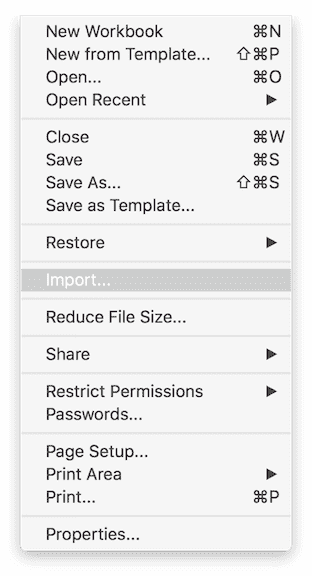
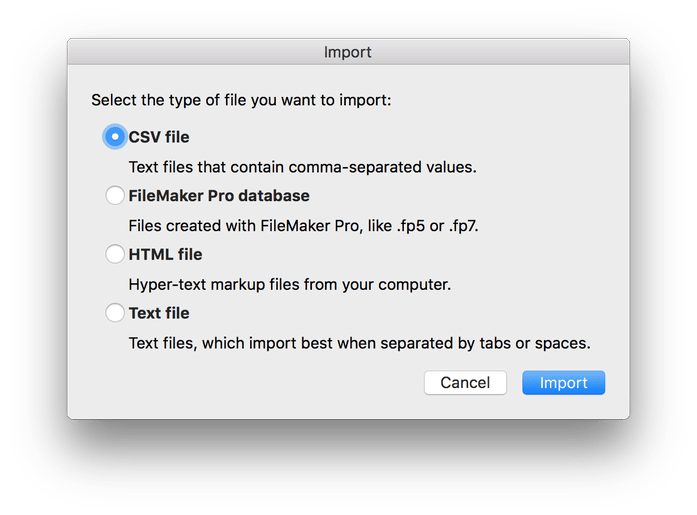
If you want to open the data in Excel, note that Excel expects the data to be separated with a semicolons. So don’t just open it in Excel but import it into a new Excel sheet.
Replies (1)
Hi! I am a robot. I just upvoted you! I found similar content that readers might be interested in:
https://medium.com/@yeong.crypto/export-your-earnings-from-genesis-mining-into-excel-e3947bf039c