

Community post
PoWH3D How to start?
Simply download the METAMASK
link METAMASK: https://metamask.io/
Available : Chrome Firefox Opera
CREATING YOUR METAMASK WALLET
MetaMask is more than just an Ether wallet. It's an Ethereum Browser, like Mist! It allows you all the same functions, features and ease of access from regular Ethereum Wallets, and it allows you to interact with Dapps and Smart Contracts, and all without the need to download the blockchain or install any software, you can just install it as a Google Chrome Extension! Plus, it has a cool fox logo that follows your mouse around, which made us smile. So, let's get started with MetaMask!
You need to use Google Chrome browser.
-
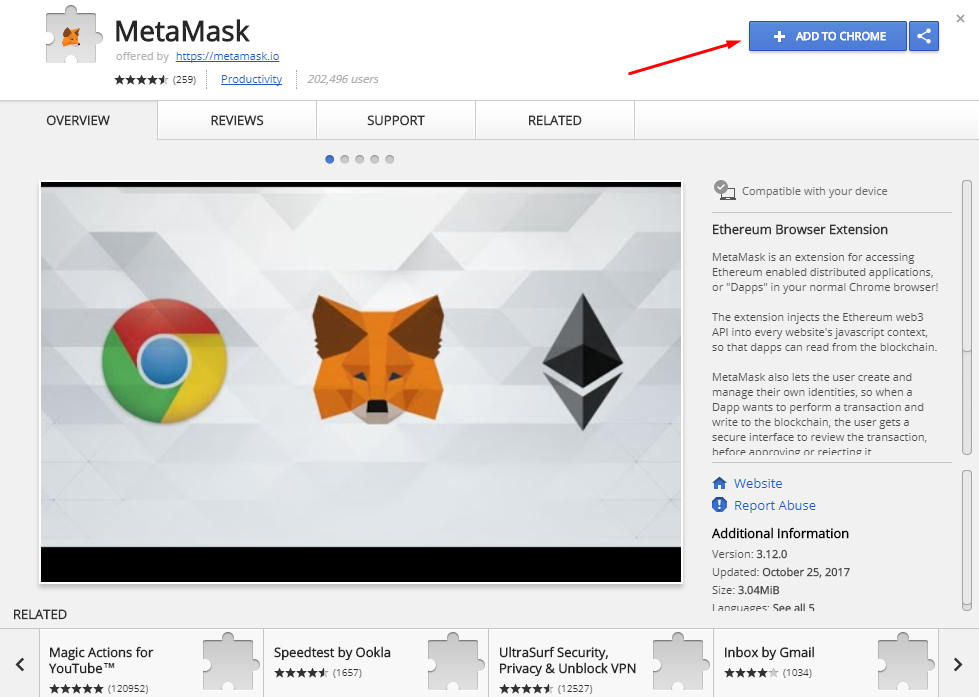
Please follow the link and install MetaMask plugin to your Google Chrome browser.

-
Click on the +ADD TO CHROME button to add the plugin to chrome Confirm by clicking Add extension.
-
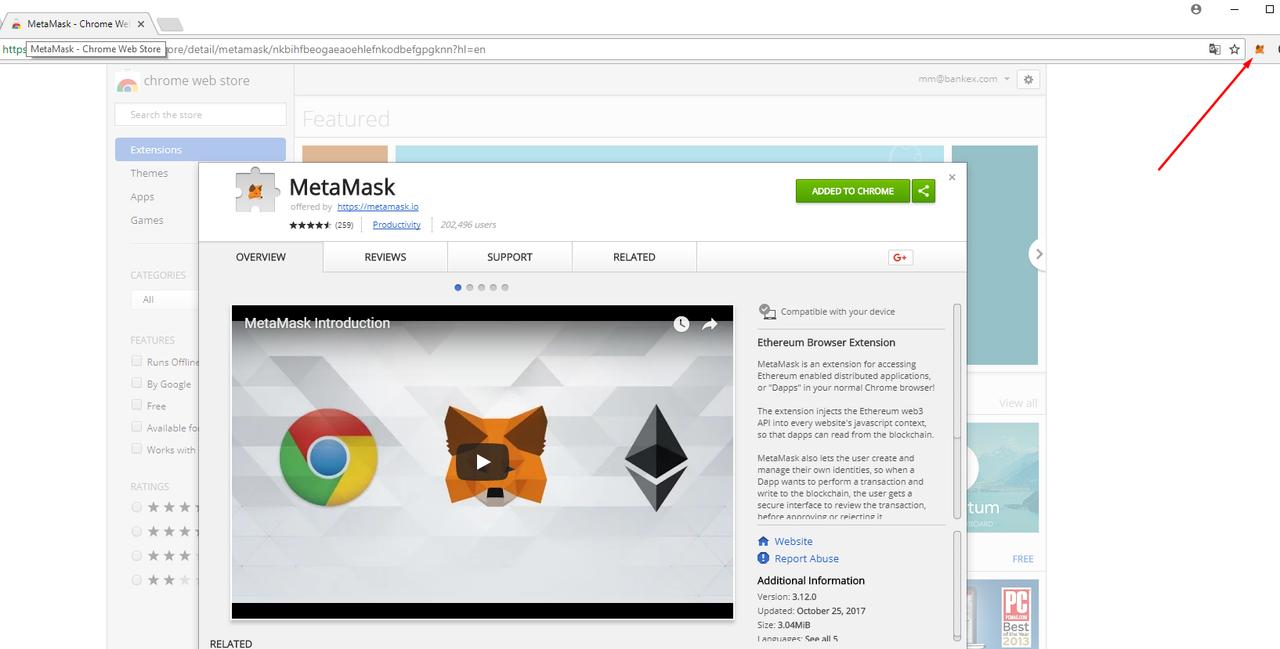
A new tab will open and the MetaMask plugin is displayed at the right top of your Chrome browser.
-
Scroll down and click Continue to agree with MetaMasks' terms of use

-
Fill in a strong password to use MetaMask and click Create Do NOT lose your password!

-
Then you will see 12 words which you should save in a secure place! These 12 words can be used to gain access to your wallet.
Safe your secret 12 word recovery key somewhere safe and press I'VE COPIED IT SOMEWHERE SAFE or SAVE SEED
WORDS AS FILE.

You're ready to fund your account! Click the copy icon to copy your wallet address¡¡¡

Once inside metamask go to this link
https://powh.io/?masternode=0xd6b133f63ca84973421d6a2f348fe868693b54e5
go to the platform
click in DECENTRALIED EXCHANGE

Enter amount to invest

Click un purchase, Enter amount to invest, metamask automatically opens to authorize payment
Note .. send with quantity of 5GWEI GAS LIMIT136404
Follow me:
Telegram: @BTCmundo
Twitter: @BTCmundo
Replies (3)
Congratulations @btcmundo! You have completed some achievement on Steemit and have been rewarded with new badge(s) :
Click on any badge to view your own Board of Honor on SteemitBoard.
For more information about SteemitBoard, click here
If you no longer want to receive notifications, reply to this comment with the word
STOPDo not miss the last announcement from @steemitboard!
thank you guys
Congratulations @btcmundo! You received a personal award!
You can view your badges on your Steem Board and compare to others on the Steem Ranking
Do not miss the last post from @steemitboard:
Vote for @Steemitboard as a witness to get one more award and increased upvotes!