

Community post
HTML 5 Tutorial #10 - HTML Quotation and Citation Elements
HTML Quotation and Citation Elements
HTML <q> for Short Quotations
To define a short quotation, use <q> element. Browsers automatically insert quotation marks to the content element of <q> element.
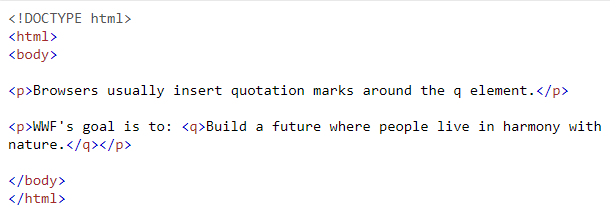
HTML <blockquote> for Quotations
To define a section that is quoted from another source, use <blockquote> element. Browsers automatically indent <blockquote> elements.

HTML <abbr> for Abbreviations
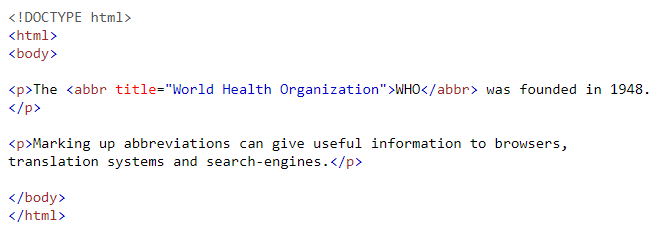
If you have an abbreviation content, use <abbr> to define it.
HTML <address> for Contact Information
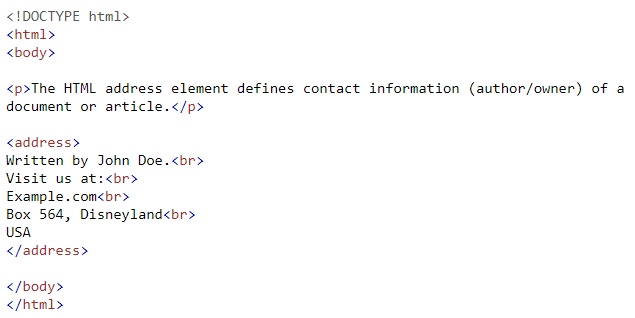
If you have a contact information content, use <address> to define it. Browsers automatically display the text in italic and add a line break before and after the element.
HTML <cite> for Work Title
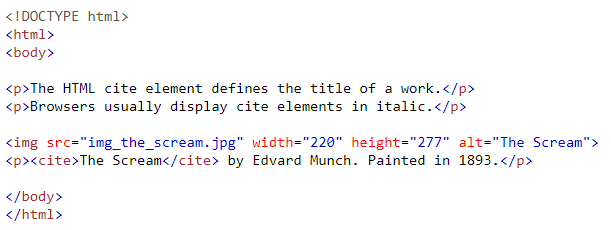
<cite> element defines the title of a work. Browsers automatically display <cite> element in italic.
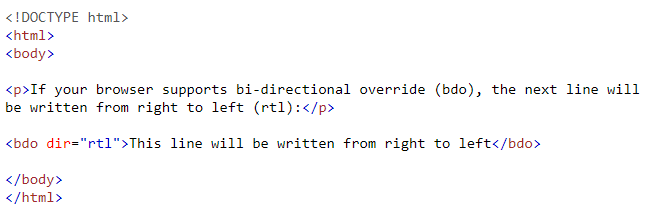
HTML <bdo> for Bi-Directional Override
<bdo> element defines bi-directional override. You can override the current text direction using this element.
HTML 5 Tutorials:
HTML 5 Tutorial #1 - Introduction
HTML 5 Tutorial #2 - HTML Editors
HTML 5 Tutorial #3 - HTML Basic
HTML 5 Tutorial #4 - HTML Elements
HTML 5 Tutorial #5 - HTML Attributes
HTML 5 Tutorial #6 - HTML Headings
HTML 5 Tutorial #7 - HTML Paragraphs
HTML 5 Tutorial #8 - HTML Styles
HTML 5 Tutorial #9 - HTML Text Formatting
Replies (8)
This post has received a 1.54 % upvote from @boomerang thanks to: @cj23
This post has received a 3.30% upvote from @lovejuice thanks to @cj23. They love you, so does Aggroed. Please be sure to vote for Witnesses at https://steemit.com/~witnesses.
This post has received a 0.69 % upvote from @booster thanks to: @cj23.
This wonderful post has received a @cj23 3.22% upvote from @hellowhale. Discord Channel: https://discord.gg/WVJW7AC Please vote with the link below if you support our project. https://goo.gl/1zYDKh
You got a 0.72% upvote from @postpromoter courtesy of @cj23!
Want to promote your posts too? Check out the Steem Bot Tracker website for more info. If you would like to support the development of @postpromoter and the bot tracker please vote for @yabapmatt for witness!
This post has received gratitude of 0.82 % from @appreciator thanks to: @cj23.
Good job! Thanks to @anonteamph00001 you have planted 0.05 tree to save Abongphen Highland Forest in Cameroon. Help me to plant 1,000,000 trees and share my Steem Power to the others. Selfvoting is prohibited, but that should be the reason to spread the world to protect our precious environment. Check out profile of our conservation association @kedjom-keku and the founder/coordinator @martin.mikes to get more information about our conservation program. My current SP is 18370.12. Help me to plant more trees with your delegated SP.
Thanks a lot,
your @treeplanter
www.kedjom-keku.com
Congratulations! This post has been upvoted from the communal account, @minnowsupport, by cj23 from the Minnow Support Project. It's a witness project run by aggroed, ausbitbank, teamsteem, theprophet0, someguy123, neoxian, followbtcnews, and netuoso. The goal is to help Steemit grow by supporting Minnows. Please find us at the Peace, Abundance, and Liberty Network (PALnet) Discord Channel. It's a completely public and open space to all members of the Steemit community who voluntarily choose to be there.
If you would like to delegate to the Minnow Support Project you can do so by clicking on the following links: 50SP, 100SP, 250SP, 500SP, 1000SP, 5000SP.
Be sure to leave at least 50SP undelegated on your account.