

Community post
React-acrylic: Frost glass effect / acrylic material react component
About
Acrylic is a type of material that creates a partially transparent texture, like this.

or like this
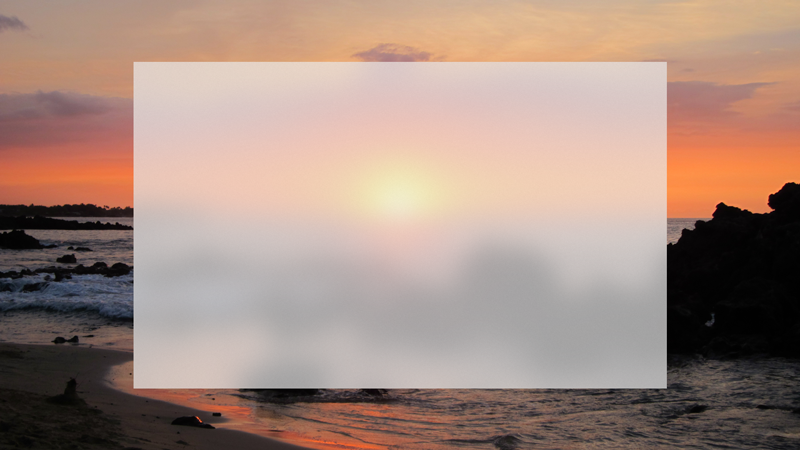
This project is a react component for creating acrylic material, Inspired by Fluent design's Acrylic material.
Development
At first, it looks simple just like that, but it is complicated.
For creating acrylic, we need 4 layers.
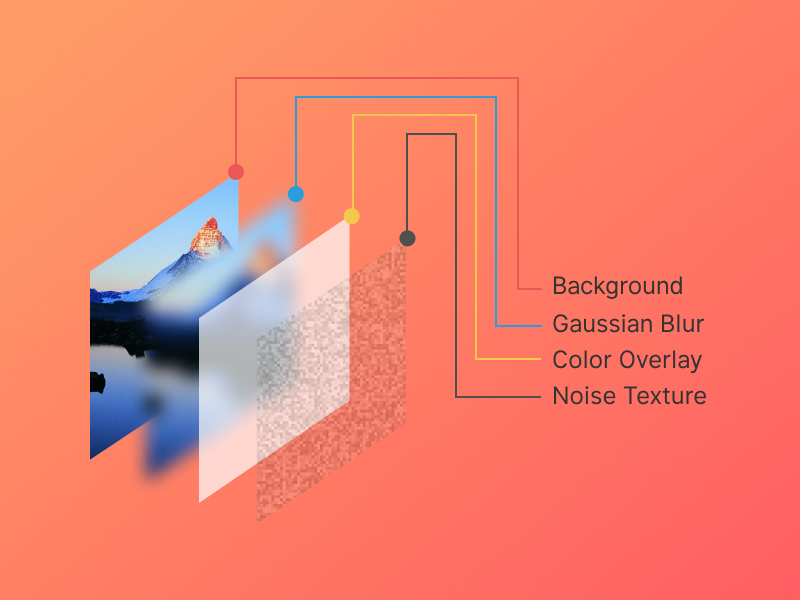
1. Background
The first layer is background, which is screenshots of the page without an element that acrylic effect we will implement.
So when we screenshotting this we must hide that element first then take a snapshot then showing again.
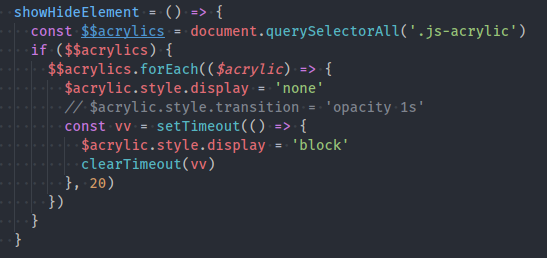
This uses html2canvas.
So screenshotted page (without acrylic element) will become a canvas.
2. Blur
And then we must blur that background that we screenshotted.
This uses stackblur.
3. Color overlay
This just element that has background color and opacity.
4. Noise texture
This is generated noise texture. I generated it with http://www.noisetexturegenerator.com/. The purpose of this is to make the acrylic a bit harsh, like a frosted glass.
After acrylic
When we scroll through the page. the background should be translated, so it always matches the content.

And when we resize the window. we must repeat again from layer1-4.
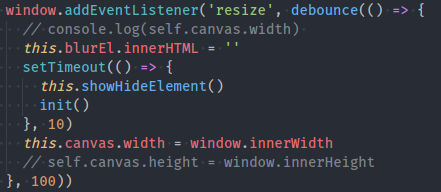
Final product
you can visit here https://github.com/damaera/react-acrylic
Live Demo

https://6xp9vyjj23.codesandbox.io/
Usage
import React, { Component } from 'react'
Import Acrylic from 'react-acrylic'

class YourComponent extends Component {
  render() {
    <Acrylic
      colorOverlay='#eee'
      opacity='0.4'

      position='fixed'
      top='100px'
      left='100px'
      width='300px'
      height='200px'

      blur={40}
      borderRadius='2px'
      borderRadius='2px'
    >
      <span>Hello Acrylic</span>
    </Acrylic>
  }
}
Props
| Props | Default value |
|---|---|
position |
'fixed', |
left |
0, |
top |
0, |
width |
0, |
height |
0, |
colorOverlay |
'#fff' |
opacity |
0.5 |
borderRadius |
0 |
boxShadow |
null |
blur |
30 |
Future
In the future we can have simpler alternatives with same result with this.
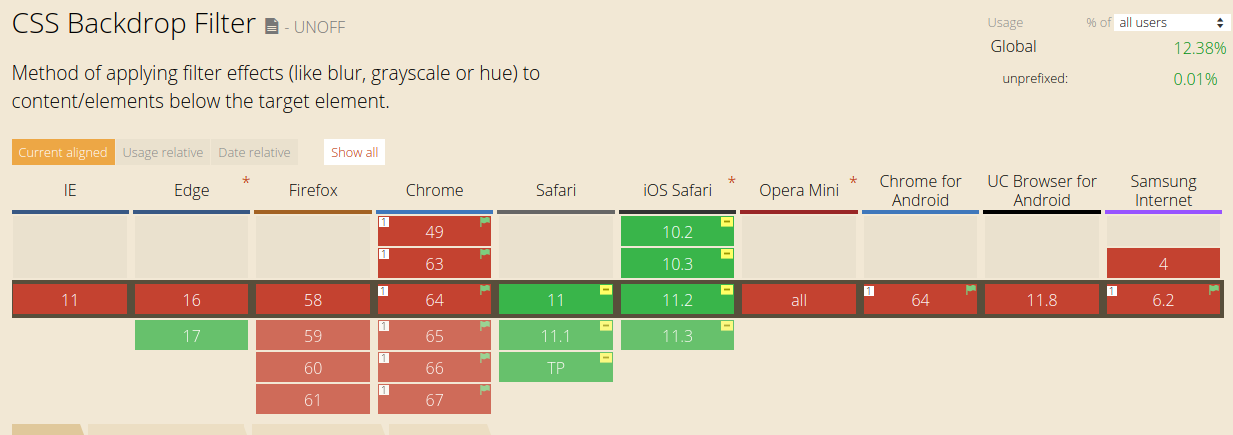
like CSS backdrop-filter. so we can skip layers 1, 2, scroll event and resize event with just this.
-webkit-backdrop-filter: blur(10px);
but many of browsers still not implemented this property.
https://caniuse.com/#feat=css-backdrop-filter
How to contribute?
Github: https://github.com/damaera/react-acrylic
For contributing guidelines, you can visit here:
https://github.com/damaera/react-acrylic/blob/master/CONTRIBUTING.md
Posted on Utopian.io - Rewarding Open Source Contributors
Replies (4)
Thank you for the contribution. It has been approved.
Would like to see this module being used in websites.
You can contact us on Discord.
[utopian-moderator]
thank you for your moderation
Hey @eastmael, I just gave you a tip for your hard work on moderation. Upvote this comment to support the utopian moderators and increase your future rewards!
Hey @damaera I am @utopian-io. I have just upvoted you!
Achievements
Community-Driven Witness!
I am the first and only Steem Community-Driven Witness. Participate on Discord. Lets GROW TOGETHER!
Up-vote this comment to grow my power and help Open Source contributions like this one. Want to chat? Join me on Discord https://discord.gg/Pc8HG9x