

Community post
Editing with VSCO
Hi! Today, I will be editing a raw image taken with my phone with an editing app called VSCO!
Step 1: Upload your image in the app.

Step 2: Sharpen the image to liking
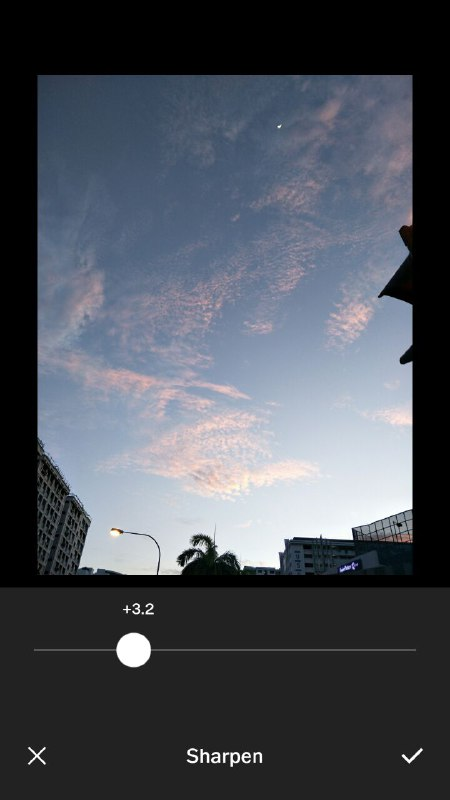
[+3.2] I sharpened the image only to 3.2 to make it slightly clearer and more defined.
Step 3: Saturation
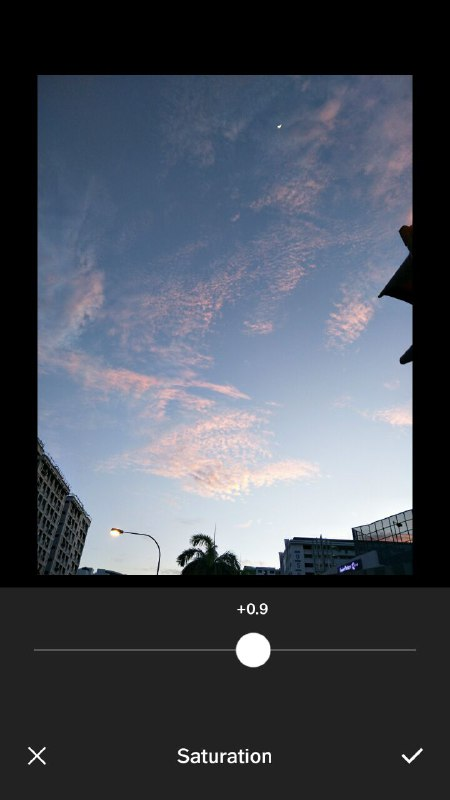
[+0.9] Increase the saturation slightly to enhance the colours making it more vibrant.
Step 4: Apply filter
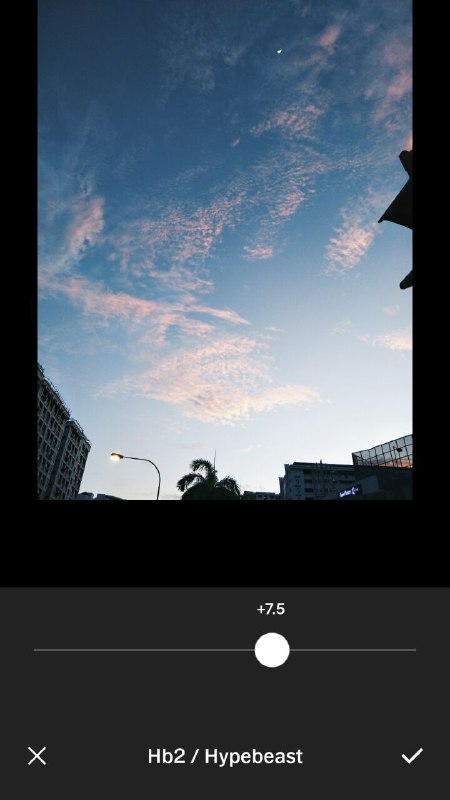
[+7.5] I personally feel that this filter would go well with this image as it retains the pink clouds and also give the background a very bluish tone.
Step 5: Highlights - Bringing out the pink tone
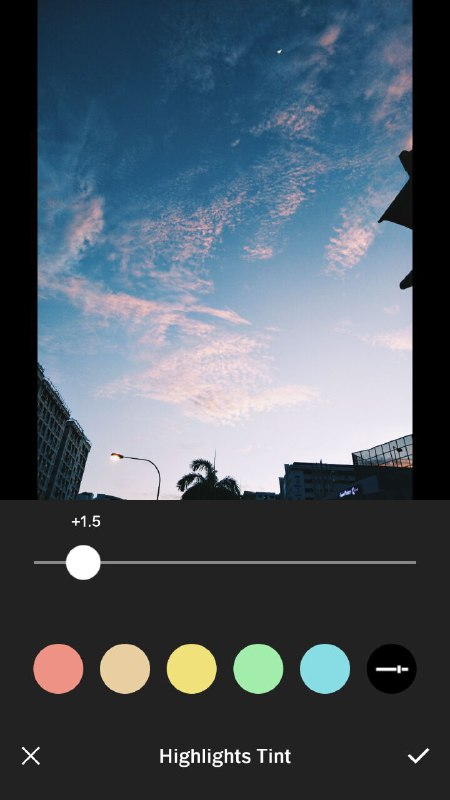
[+1.5] I love to add a pink tone to my pictures and also this will bring our the colours in the clouds.
TIPS
For this image, i didn't edit the exposure level. However, a small tip would be by adjusting the exposure level, it can make the photo look like it was taken in the morning or in the evening.Exposure

[+3.0] Seems like it was taken in the morning if you ignore the street lights and the moon.

[-3.0] Looks like it was taken in the evening. Sunset shot
Conclusion
Hope you have learnt something from this post and like it!! Does it look instagram worthy? hehe :)This app can be downloaded in the app store and play store.
Replies (3)
Very good information. Im sure this could assist me in my photography projects & journeys.
Thanks!
Congratulations @foiesushi! You have completed some achievement on Steemit and have been rewarded with new badge(s) :
Click on any badge to view your own Board of Honor on SteemitBoard.
For more information about SteemitBoard, click here
If you no longer want to receive notifications, reply to this comment with the word
STOP