

Community post
CREATIVE portrait LIGHTING step by step TUTORIAL
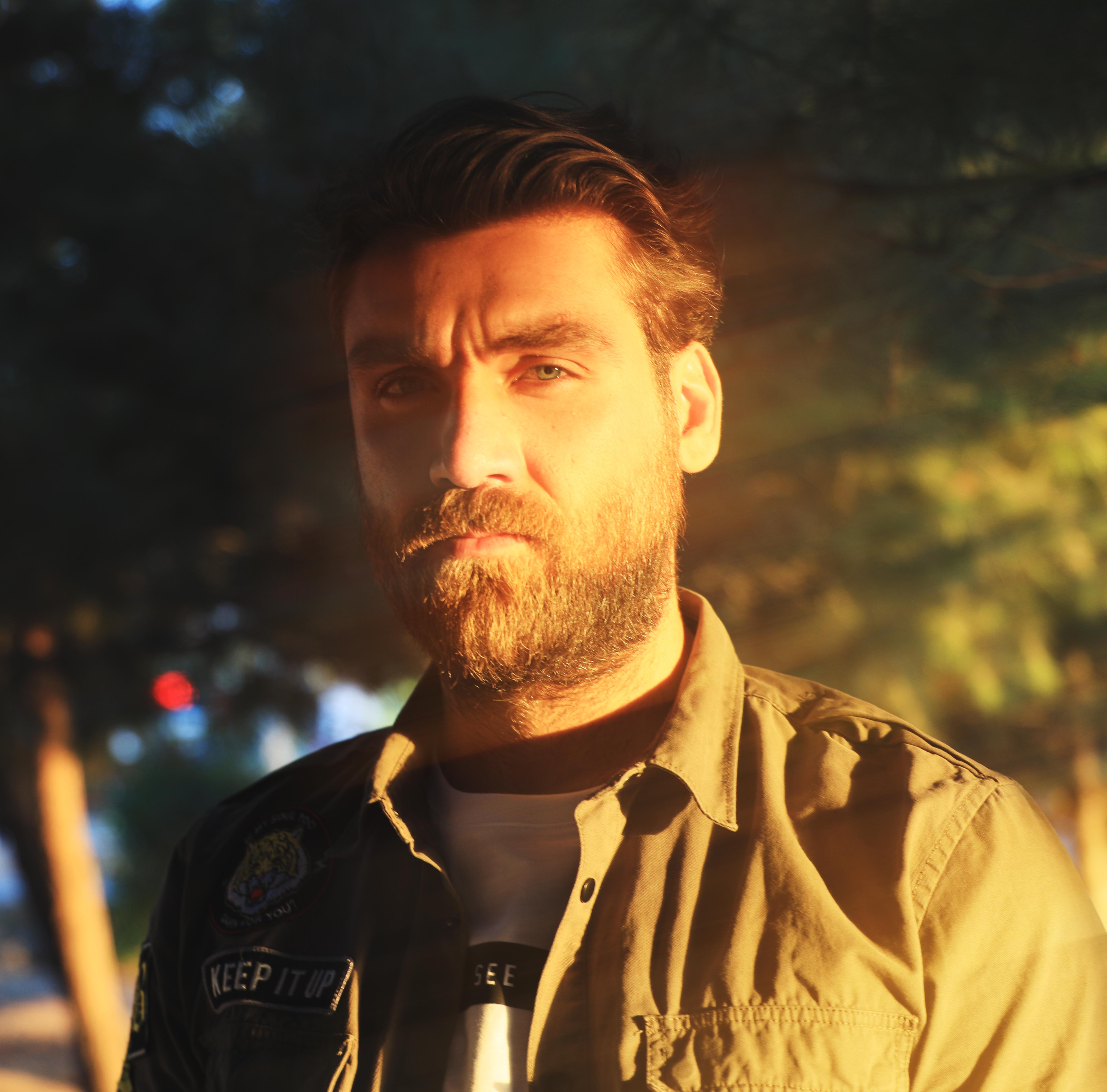
Hi, in this post I want to share with you a creative way to enhance the lighting of your portraits in post.
Please follow these steps :
Select the rectangular marquee tool and select half of your image.
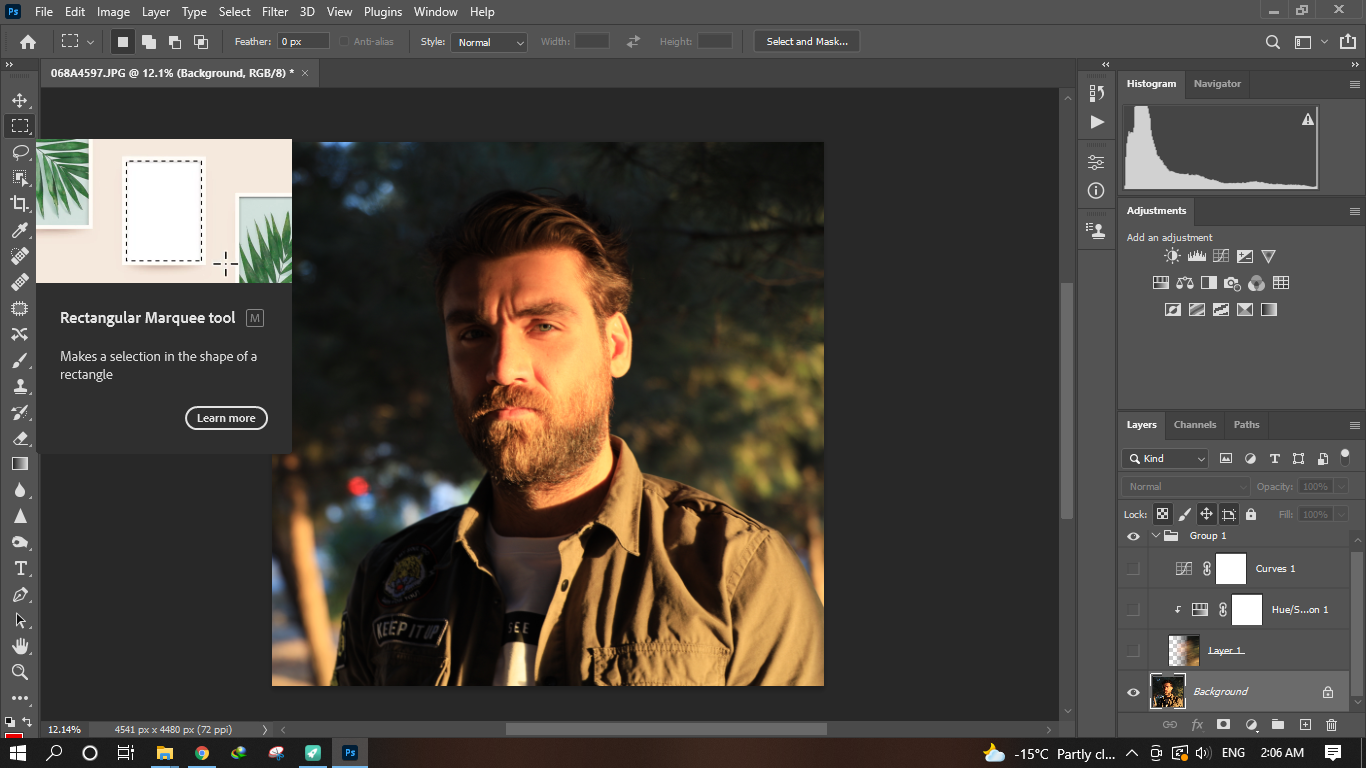
Press Ctrl + J to copy the selection into an other layer
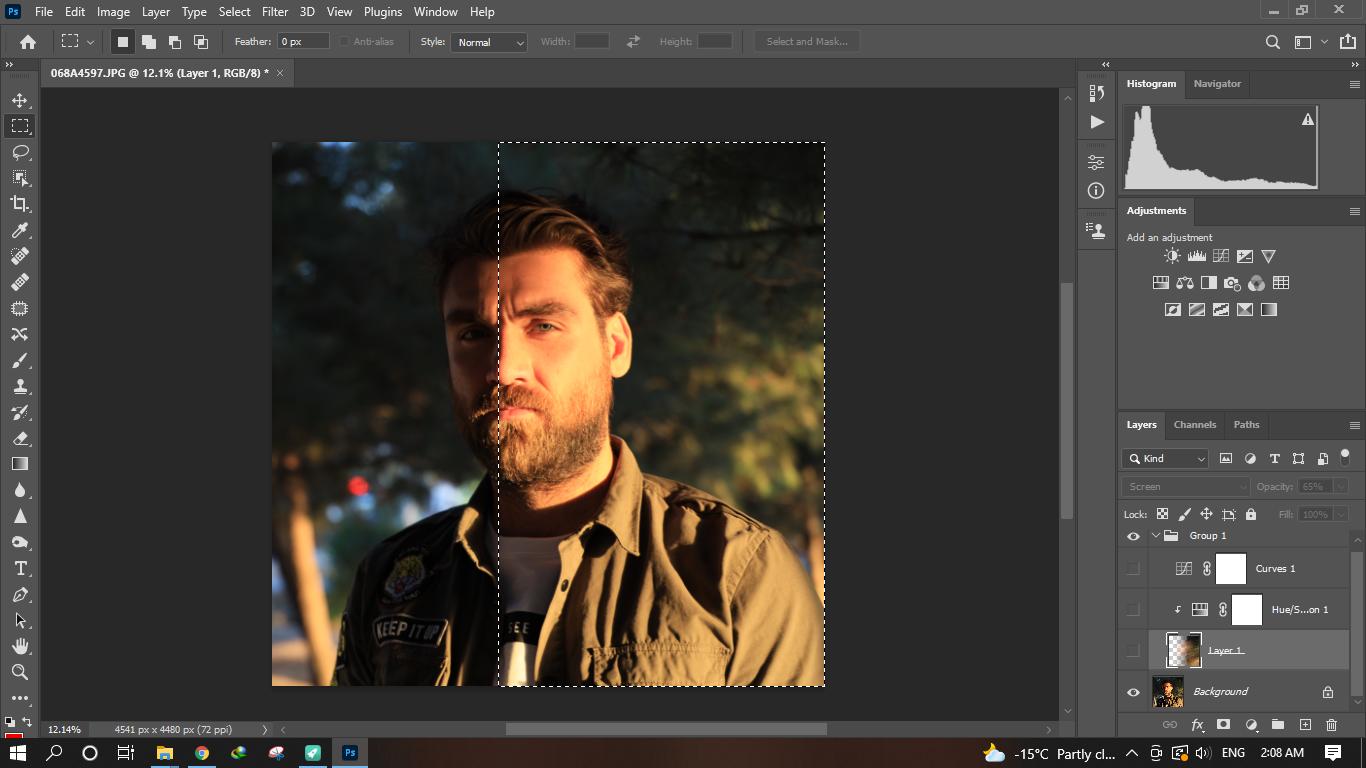
Go to filter blur and motion blur ...
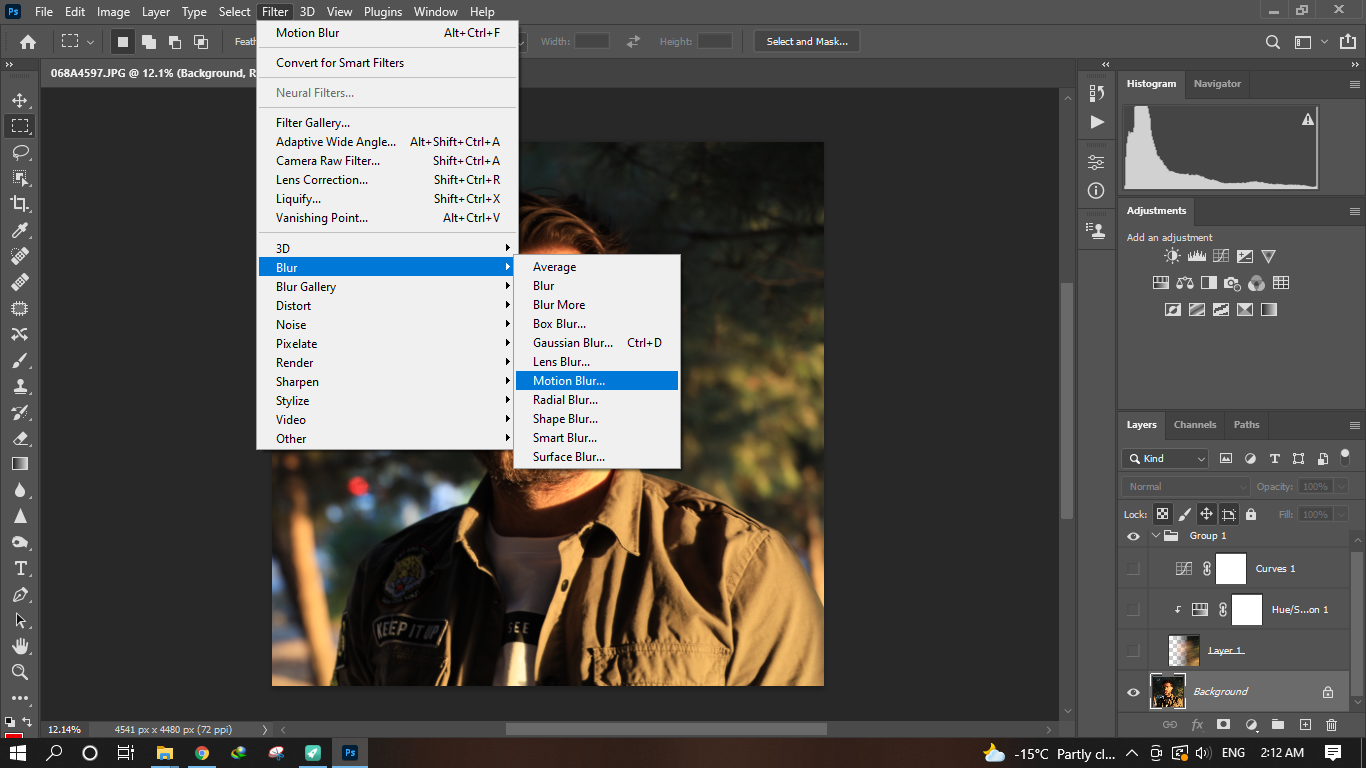
Choose the angel according to the lighting of the portrait and set the distance to maximum
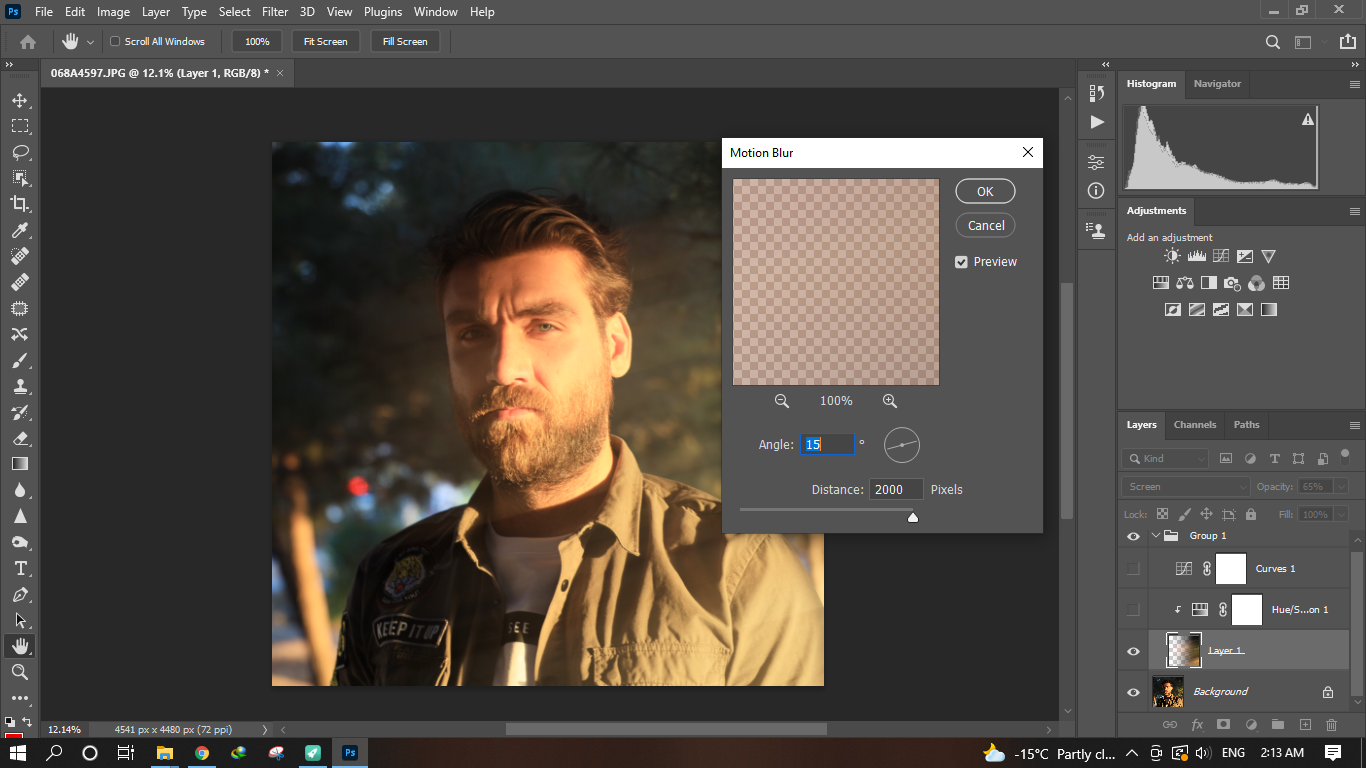
Drop the opacity to make it more natural
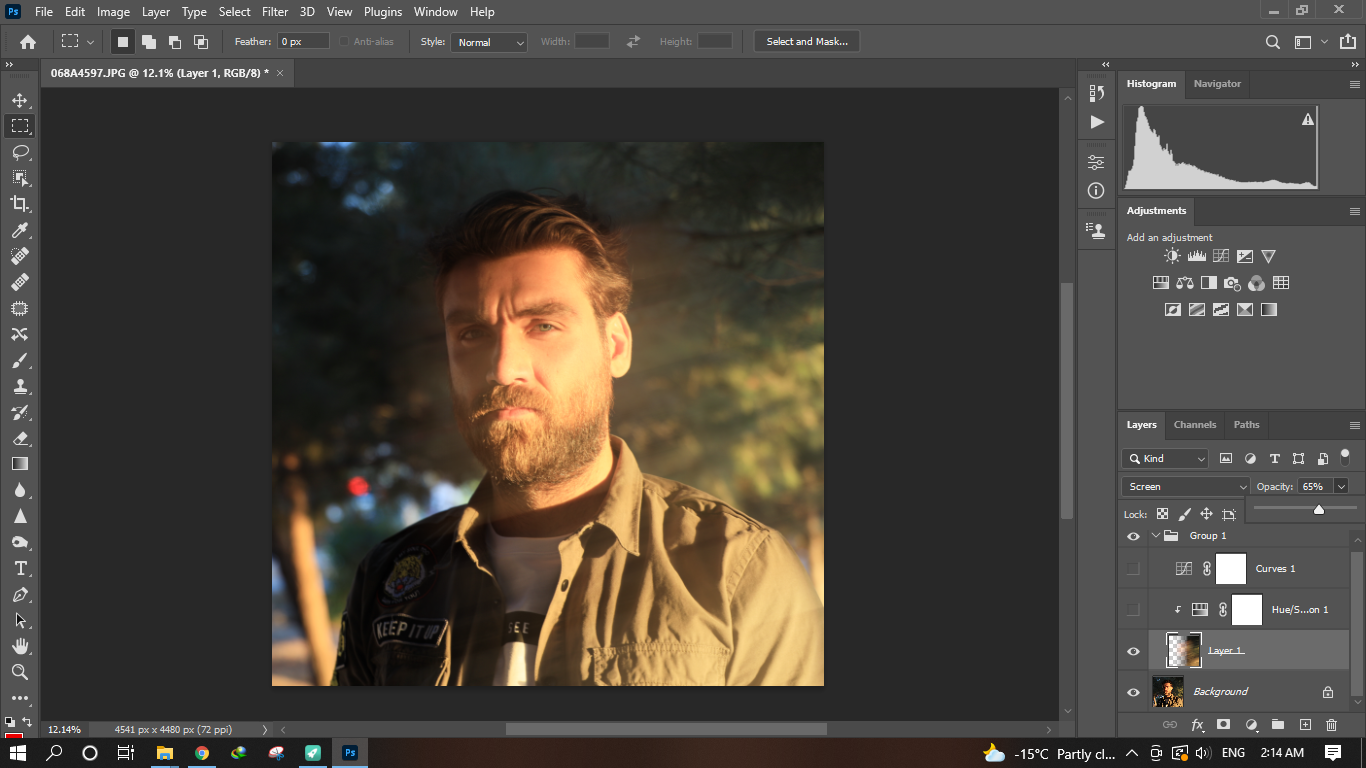
Use hue/saturation tool and boost the saturation
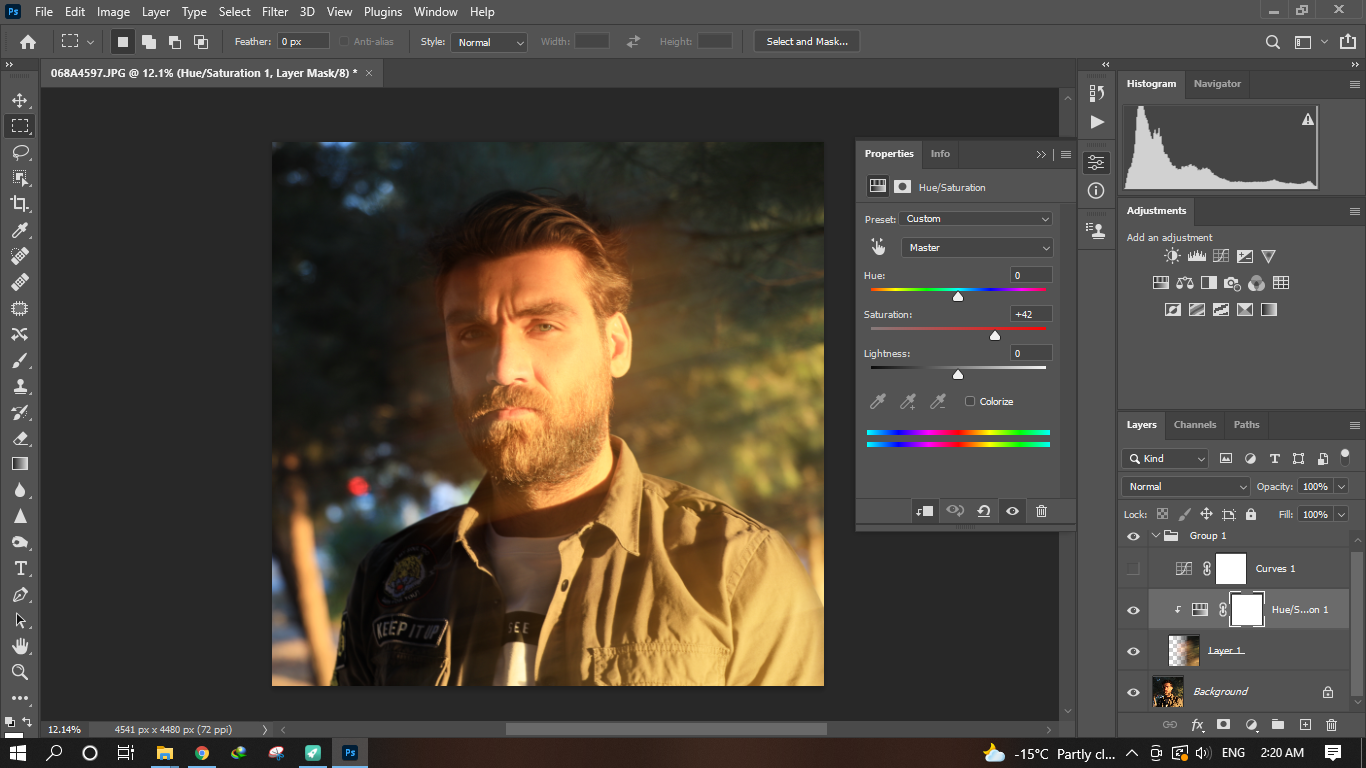
Add a curve tool, drop the shadows and boost the highlights to make the image pop
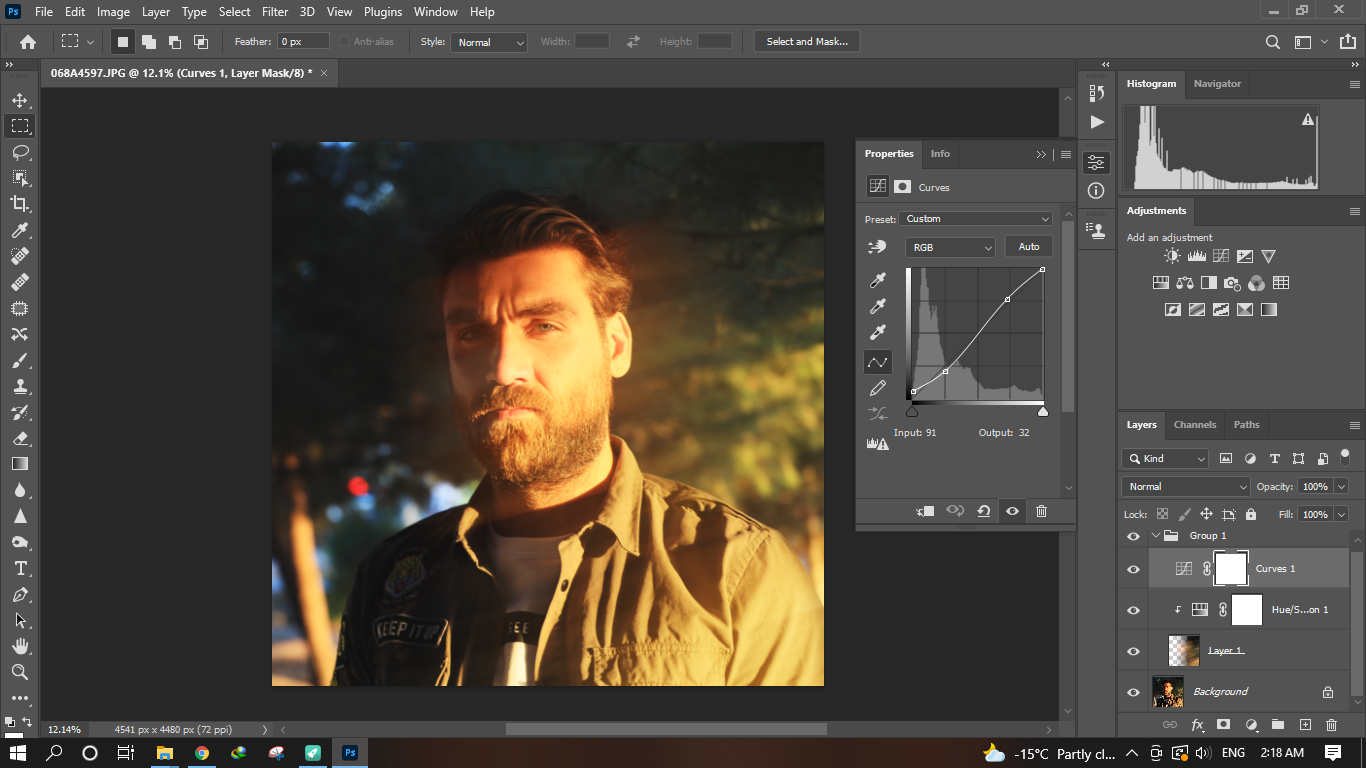
Here is the final result ...
Use this technique to add some stylistic touch to your edits, thank you!
Replies (1)
Electronic-terrorism, voice to skull and neuro monitoring on Hive and Steem. You can ignore this, but your going to wish you didnt soon. This is happening whether you believe it or not. https://ecency.com/fyrstikken/@fairandbalanced/i-am-the-only-motherfucker-on-the-internet-pointing-to-a-direct-source-for-voice-to-skull-electronic-terrorism