

Community post
Task 5 :Wallet History And Internal Internet Browser

Hello friends how are you all doing today ans welcome to another task today on my #journeyofahivean posts designed to help out newbies like me get the best out of the hive ecosystem.
This is my fifth task on wallet history and internal internet browser lesson taught by @starkerz.
He showed how we can navigate even more in the hive keychain app with ease and perform some various activities i will be showing u all soon.


It was a pretty much easy and straight forward process checking the wallet history of all my hive tokens.


On the keychain app clicking the globe looking icon at the bottom of the home page is thw first step to launch the browser.
Then select and click on any website of choice


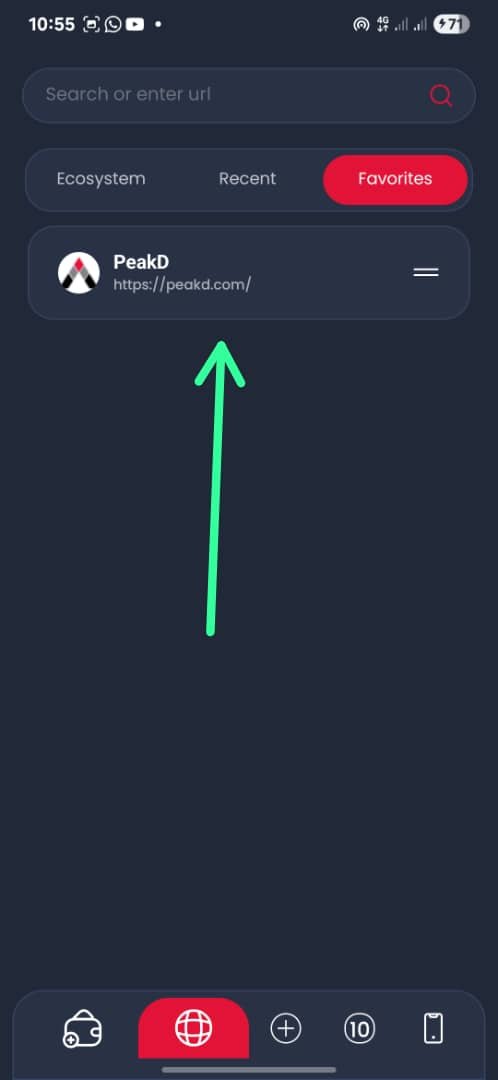
On the keychain app you click the globe icon to get into the internet browser where you qould select any website of choice mine was peakd and look for the heart shaped icon at the top left and click on it to add the website to favourites.


To switch among tabs you click on thw globe icon to access the Internet Browser the you would see a circle with number of how many tabs are ipen currently mine was 10 them you click on that and you would see all your recently open tabs and you can pick the one you want.


On the keychain app and getting into the internet browser and click on the tabs icon and you would see an X mark which is for clearing cache.


And this is the easiest part yet going back to my wallet from the steps above you can easily navigate back to your wallet.
Conclusion
Weeehhh and this is another task successfully done and thank you all friends for stopping by and going through the post see you all on the next post and watch my becoming a full fledged hivean 🤭.
Replies (0)
Conversation
No replies yet
Replies will appear here as people join the conversation.