

Community post
Tutorial- How to use chronicle script by @inertia
Today I'll show you how to use Chronicle script by @inertia.
You will need linux or any flavor of linux like ubuntu ,centOS or fedora. If you dont have one check here to run it as virtual player on windows machine.
You will also need ruby and gem installed on linux, if you don't have it check here uptil step 11.
Now we are ready to download chronicle and run, here are commands
$ git clone https://gist.github.com/e8325ad50b42f1fd9d01d3dddde397ef.git chronicle
$ cd chronicle
$ bundle install
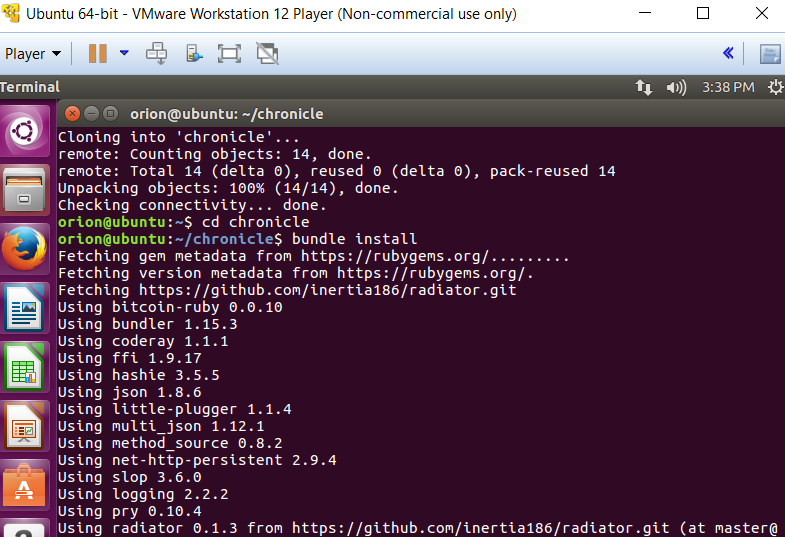
Now we need to go to chronicle folder and open up chronicle.yml, here we will create our post. You have additional customization options such as max upvote, selecting percent_steemdollars etc. Also don't forget to replace social account and key with your account and posting key.
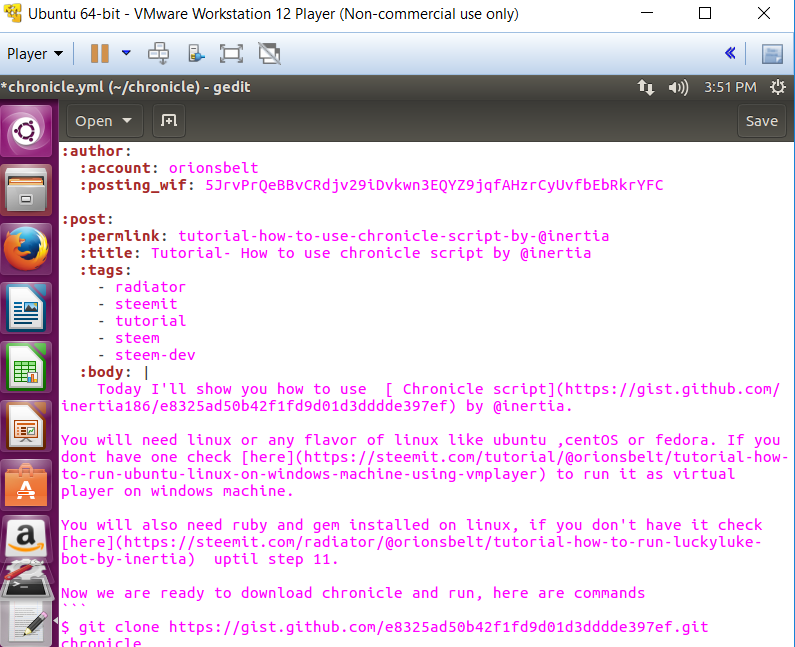

For this post, i've set percent steem dollars to 10%, meaning 90% of this post payout will be in steem power!
Once your done with editing ,save and go back to terminal.
In terminal type following command:
$ ruby chronicle.rb
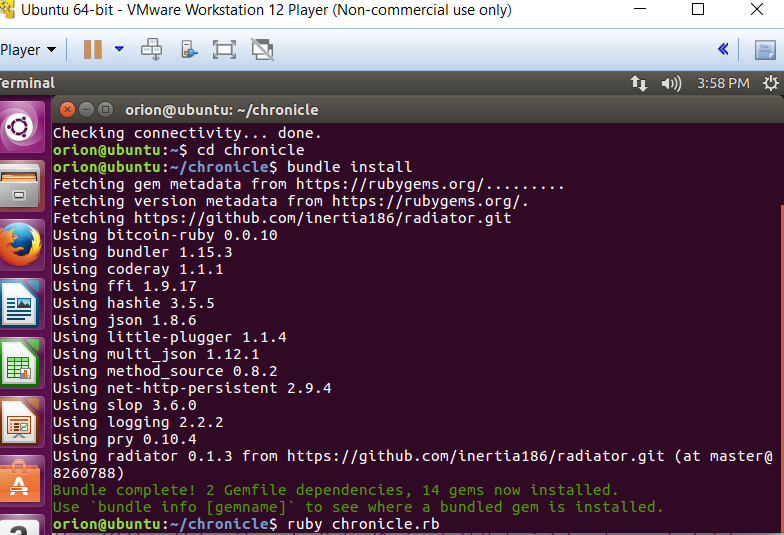
You have now successfully submitted a new story using chronicle script to steemit blockchain!
Replies (4)
Congratulations! This post has been upvoted from the communal account, @minnowsupport, by orionsbelt from the Minnow Support Project. It's a witness project run by aggroed, ausbitbank, teamsteem, theprophet0, someguy123, neoxian, followbtcnews/crimsonclad, and netuoso. The goal is to help Steemit grow by supporting Minnows and creating a social network. Please find us in the Peace, Abundance, and Liberty Network (PALnet) Discord Channel. It's a completely public and open space to all members of the Steemit community who voluntarily choose to be there.
can you use multiple account?
Congratulations @orionsbelt! You have received a personal award!
Click on the badge to view your Board of Honor.
Congratulations @orionsbelt! You received a personal award!
You can view your badges on your Steem Board and compare to others on the Steem Ranking
Vote for @Steemitboard as a witness to get one more award and increased upvotes!