

Community post
How to schedule a post on PeakD.com?

Scheduling a post is rather easy once you have scheduling enabled you click the schedule button.
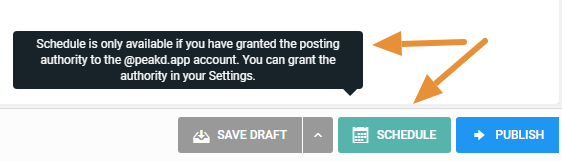
HOW TO ENABLE SCHEDULING
What you are doing is giving PeakD the authority to post on your behalf... this is an official blockchain transaction we will then use it to post your post when you determine through schedule system
To enable this authority you only have to do these steps one time.
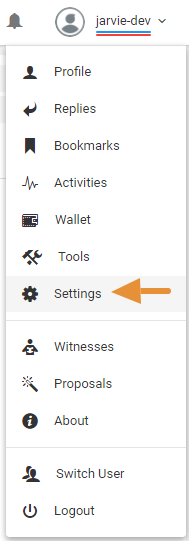
Step 1: Go To Settings
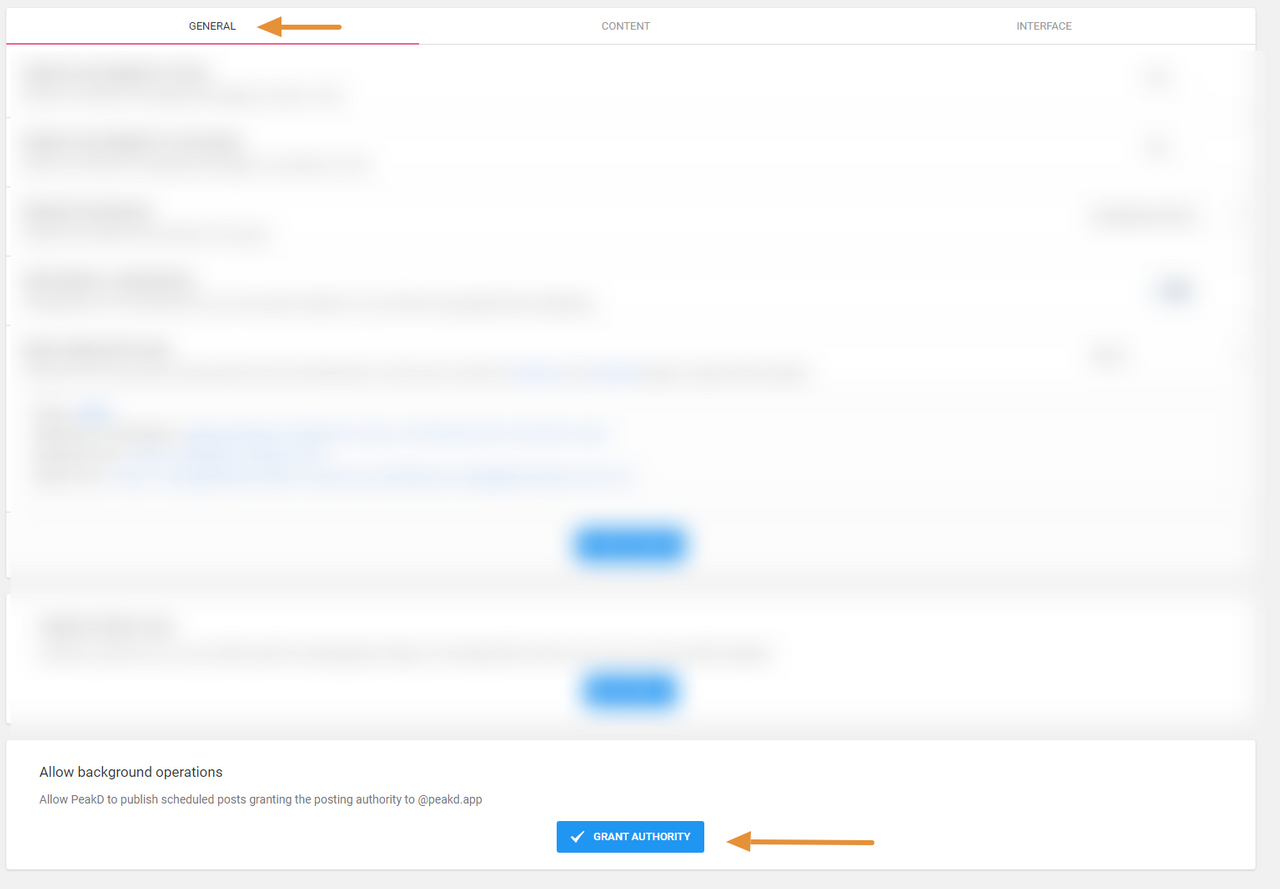
Step 2: Grant Authority
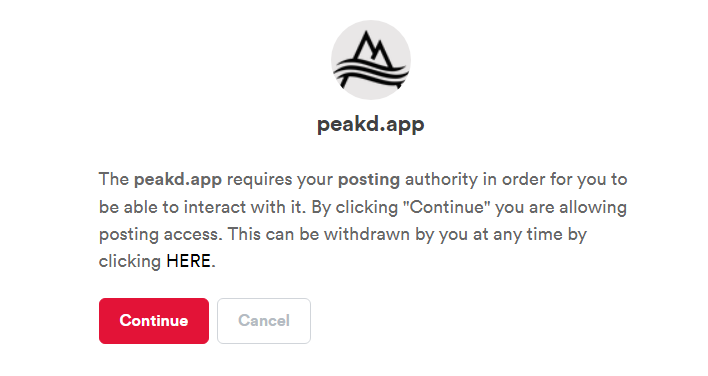
Step 3: Continue button
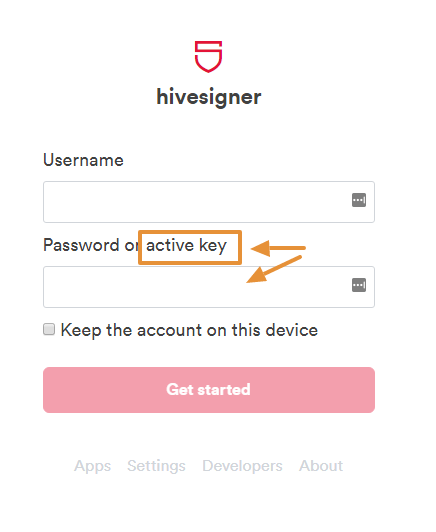
You're using a transaction system called "hivesigner" regardless of what system you used to login on peakd.com
Step 4: Username and Active Key
This should only be a one time transaction... so you'll only need to dig up your active key this one time.
ABLE TO SCHEDULE NOW
Now all you have to do is click the schedule button and select a Day and Time.
- Note that you can un-schedule
- That will allow you to edit a post and then you can re-schedule the post
ABOUT PEAK FAQ PROJECT
- All articles are posted in this Hive community
- This document will be updated with links to all FAQ articles.
- Project ran by @peakd. Main authors presently: @jarvie
- Please submit more questions here.
Please follow up this post with any other questions you have for this topic
Replies (2)
Thank you so much, that clarified everything!
Is there a time frame or time limit to schedule post?