
Community post
Extracting 3D models from League of Legends for 3D printing

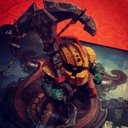
In this video I want to explain how to extract a .stl file, which is used by 3D-printers, from a League of Legends character on the example of Mater Yi.
Required programs and downloads:
Cinema4D
Photoshop CC
lol2dae: https://sourceforge.net/projects/lol2dae/
wooxy: https://mapskins.com/wooxy/
NVIDIA Texture Tools for Adobe Photoshop:
https://developer.nvidia.com/nvidia-texture-tools-adobe-photoshop
LeagueofLegends
I would recommend using a virtual machine to run all of those programs.
Wooxy might be detected by ur AntiVirus!
- start wooxy and extract the folder with the champ u want on ur desktop
- open the dds file, which is located in the folder with Photoshop. Convert it to .png
- open lol2dae and choose the path of ur .skn file of the champ
- hit the checkbox to use an animation file and choose one
- press convert and open the converted file in C4D
- choose a nice looking frame and export it to .stl
- edit ur work with paint3D or similar
I hope this video helped u out with making a Lol statue, or inspired u to create one;)
▶️ DTube
▶️ IPFS
Replies (1)
very nice post, keep it up. make sure to check my art page too. artists need to come together on this platform to make a bigger impact.