
Community post
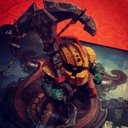
Extracting Veigar 3D models from League of Legends for 3D printing
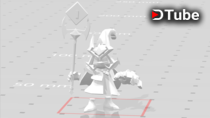
In this video I want to explain how to extract a .stl file, which is used by 3D-printers, from the League of Legends character Veigar.
.stl file: https://megaup.net/13nC/veigar_Skin08.stl
Required programs and downloads:
Cinema4D
Photoshop CC
lol2dae: https://sourceforge.net/projects/lol2dae/
wooxy: https://mapskins.com/wooxy/
NVIDIA Texture Tools for Adobe Photoshop:
https://developer.nvidia.com/nvidia-texture-tools-adobe-photoshop
LeagueofLegends
I would recommend using a virtual machine to run all of those programs.
Wooxy might be detected by ur AntiVirus!
start wooxy and extract the folder with the champ u want on ur desktop
check the skin u want to use, by opening the .dds with Photoshop
open lol2dae and choose the path of ur .skn file of the champ
hit the checkbox to use an animation file and choose one
press convert and open the converted file in C4D
choose a nice looking frame and export it to .stl
control ur work with paint3D or similar
I hope this video helped u out with making a Lol statue, or inspired u to create one;)
music: https://www.youtube.com/user/Vexento
▶️ DTube
▶️ IPFS
Replies (2)
Congratulations @peterpferd! You received a personal award!
Happy Birthday! - You are on the Steem blockchain for 1 year!
Click here to view your Board
Congratulations @peterpferd! You received a personal award!
You can view your badges on your Steem Board and compare to others on the Steem Ranking
Vote for @Steemitboard as a witness to get one more award and increased upvotes!