

Community post
Learn to Protect Yourself - Basic Offline Encryption Tool - Javascript Tutorial
Repository
https://github.com/blws/text-encrypt

About text-encrypt
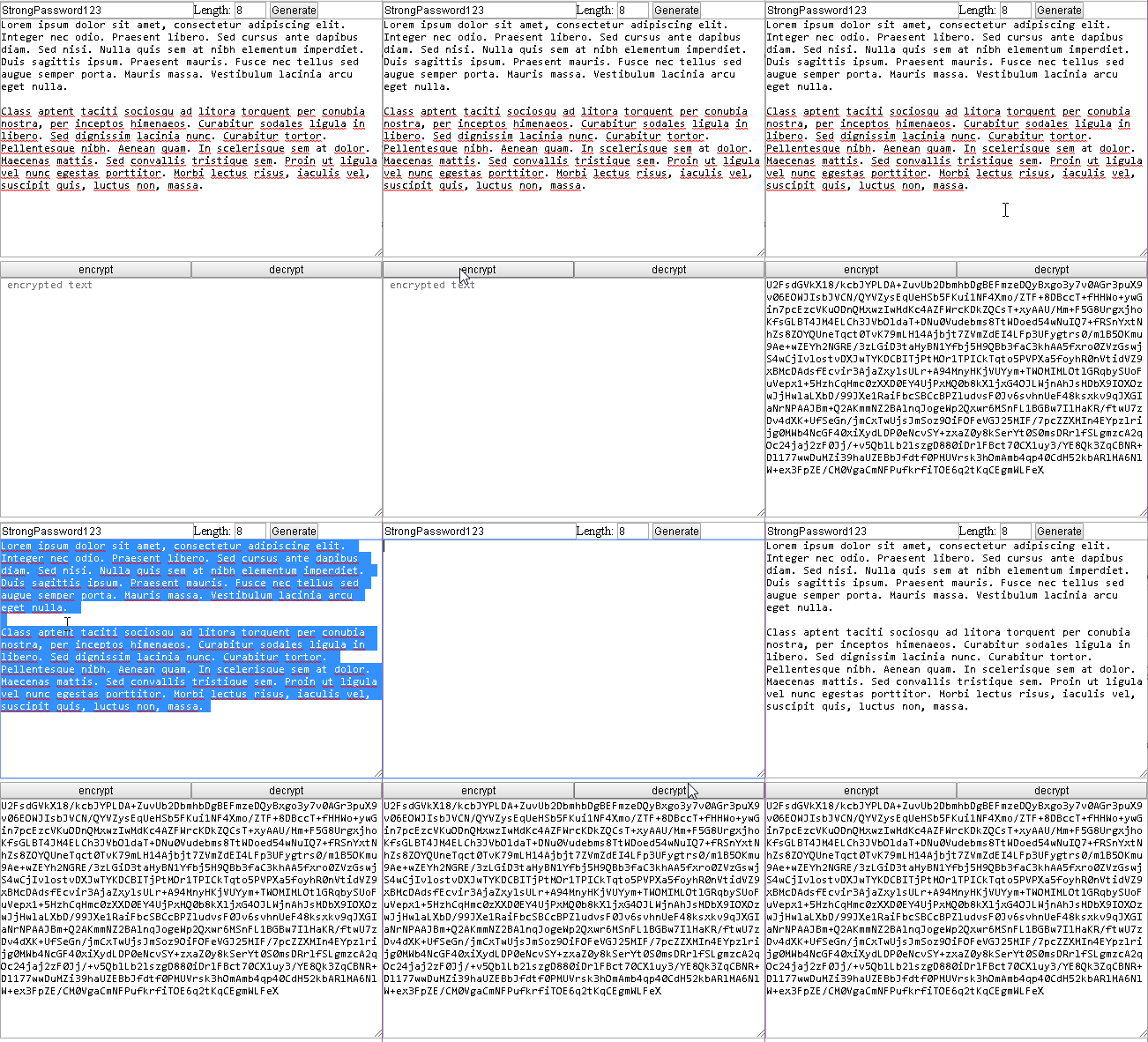
Offline minimal encryption tool and key generator. Website: https://blws.github.io/text-encrypt
Technology Stack
Javascript, html, css
Roadmap
This is standalone offline text encryptor and key generator.
There is no roadmap, because it simply works.
New Features
1 - Basic Layout
<!DOCTYPE html>
<html lang="en">
<head>
    <title>Crypt</title>
    <meta charset="utf-8">
    <meta name="viewport" content="width=device-width, initial-scale=1">
    <style>
        * {margin: 0 auto;padding: 0;}
        .w1 {width: 100%;}
        .w2 {width: 50%;float: left;}
        .h1 {height: 300px;}
    </style>
</head>
<body>
    <input id="pass" placeholder="strong password" class="w2" type="text"></input>
    <label> Length: </label>
    <input id="limit" type="text" value="8" style="width:36px;"></input>
    <button onclick="generate()">Generate</button>
    <br>
    <textarea id="dtext" placeholder=" decrypted text" class="w1 h1"></textarea>
    <br>
    <button class="w2" onclick="enc()">encrypt</button>
    <button class="w2" onclick="dec()">decrypt</button>
    <br>
    <textarea id="etext" placeholder=" encrypted text" class="w1 h1"></textarea>
</body>
</html>
https://github.com/blws/text-encrypt/blob/master/index.html#L1
https://github.com/blws/text-encrypt/blob/master/index.html#L2408
2 - Generate Password or choose your own
//generate key / password
function generate() {
            var text = "";
            var possible = "ABCDEFGHIJKLMNOPQRSTUVWXYZabcdefghijklmnopqrstuvwxyz0123456789";
            var limit = parseInt(document.getElementById("limit").value);
            for (var i = 0; i < limit; i++)
                text += possible.charAt(Math.floor(Math.random() * possible.length));
            document.getElementById("pass").value = text;
        }
https://github.com/blws/text-encrypt/blob/master/index.html#L2442
3 - Encrypt text
//encrypt text
//hashing password / key with SHA256
//encrypting - AES
function enc() {
    var pass = document.getElementById("pass").value;
    var passHash = CryptoJS.SHA256(pass).toString();
    var dtext = document.getElementById("dtext").value; //.replace(/(?:\r\n|\r|\n)/g, '');
    document.getElementById("etext").value =
        CryptoJS.AES.encrypt(dtext, passHash).toString();
}
https://github.com/blws/text-encrypt/blob/master/index.html#L2419
4 - Decrypt text
//decrypt text
//hashing password / key with SHA256
//decrypting - AES
function dec() {
    var pass = document.getElementById("pass").value;
    var passHash = CryptoJS.SHA256(pass).toString();
    var etext = document.getElementById("etext").value;
    document.getElementById("dtext").value =
        CryptoJS.AES.decrypt(etext, passHash)
        .toString(CryptoJS.enc.Utf8);
}
https://github.com/blws/text-encrypt/blob/master/index.html#L2430
Replies (2)
I'm glad to see you chose an offline encryption tool for this article. Very informative.
Thank you for your contribution. What you are doing is just storing contents of
https://cdnjs.cloudflare.com/ajax/libs/crypto-js/3.1.9-1/crypto-js.min.jsin the HTML File and then calling those functions from the javaScript. As of now I am not seeing any uniqueness for this because anyone can call those functions and get the Encrypted text.This can be enhanced greatly if you create a Windows Application and then encrypt password and save locally.
Your contribution has been evaluated according to Utopian policies and guidelines, as well as a predefined set of questions pertaining to the category.
Need help? Write a ticket on https://support.utopian.io/.
Chat with us on Discord.
[utopian-moderator]