
Community post
GIF ANIMATION TUTORIAL
today, I'm gonna share with you a gif animation tutorial.
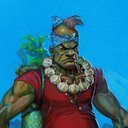
I put my OC "THE ALBULARYO" (witch doctor or a medicine man) against a monster pig into action.
https://scontent.fmnl9-1.fna.fbcdn.net/v/t1.0-9/1374350_658635854160496_729653574_n.jpg?oh=6319a2c9fc6ef7cd983fd3a8d0860993&oe=5A9F3F09
first, I did a traditional animation. I draw the key drawings and then IB (in between) it.
maybe I'll do a separate tutorial for that in the future.
https://scontent.fmnl9-1.fna.fbcdn.net/v/t31.0-8/11218594_975403789150366_509596734916746559_o.jpg?oh=b3d809547475e8108213e92e3a68d4c6&oe=5AADD221
https://scontent.fmnl9-1.fna.fbcdn.net/v/t31.0-8/11201023_975403792483699_7439181209766288932_o.jpg?oh=320b662f4fe0cef025ec570fd641bdaa&oe=5A68ADAD
https://scontent.fmnl9-1.fna.fbcdn.net/v/t31.0-8/1402249_975403855817026_5348873181209289848_o.jpg?oh=bf1f3ac4dcf0e5c15f523e920fc2006d&oe=5A682B9D
https://scontent.fmnl9-1.fna.fbcdn.net/v/t31.0-8/11206592_975403872483691_1373880983514949129_o.jpg?oh=52c3eeb78e02aa9b081a18750183b9d0&oe=5AAAB7E8
https://scontent.fmnl9-1.fna.fbcdn.net/v/t31.0-8/11036489_975403949150350_6169531903152357629_o.jpg?oh=2bb1d63b2c4a26e069d16c80579447ed&oe=5A9D0754
https://scontent.fmnl9-1.fna.fbcdn.net/v/t31.0-8/11149521_975403962483682_7878373187197131499_o.jpg?oh=e042afc41b54f5e79f3ce50eba03d134&oe=5A6829CC
https://scontent.fmnl9-1.fna.fbcdn.net/v/t31.0-8/11174384_975406465816765_1242783784449046208_o.jpg?oh=7472244918d7441319a099ddffe312a2&oe=5AAB5916
https://scontent.fmnl9-1.fna.fbcdn.net/v/t31.0-8/11174427_975406579150087_6323091151897557861_o.jpg?oh=f340ae8c05a6347d69945a9ee23bbf08&oe=5A6F6360
https://scontent.fmnl9-1.fna.fbcdn.net/v/t31.0-8/11128069_975406595816752_6896529138792949914_o.jpg?oh=b790de26417e40cbdeaac5c7ceb42d92&oe=5A627DDC
https://scontent.fmnl9-1.fna.fbcdn.net/v/t31.0-8/11187775_975406662483412_5947999400542310806_o.jpg?oh=8d73fc9bd3e332e7ed21655fa1b8d93e&oe=5AA0AB93
https://scontent.fmnl9-1.fna.fbcdn.net/v/t31.0-8/11194490_975406462483432_805287249787410861_o.jpg?oh=8d5ab59986325af25d74de1707459ebd&oe=5AAB814B
after that, I scanned it and open it in photoshop. btw I'm using the old version of photoshop. I'm still using CS3 haha
but the process is still the same in the latest version.
https://scontent.fmnl9-1.fna.fbcdn.net/v/t31.0-8/23120209_1732831313407606_7264304448818349058_o.jpg?oh=9e51b526bf95644c627f3ba99b8b8cf5&oe=5AAE4A16
next, I put them all together in order into a single file by dragging one by one to the master file which is the key drawing number one.
the key drawing number one should be at the bottom layer.
https://scontent.fmnl9-1.fna.fbcdn.net/v/t31.0-8/23120078_1732831873407550_8803077699767323557_o.jpg?oh=2122905a5494bb1435a8a310b2ab5a28&oe=5AA59F57
now everything is set, I go to WINDOW and choose ANIMATION
animation timeline will appear then click the CONVERT TO FRAME ANIMATION. the one with the arrow
https://scontent.fmnl9-1.fna.fbcdn.net/v/t31.0-8/23213255_1732829796741091_5333969731592273341_o.jpg?oh=ad511329bb4df76cee67cc64c02dff16&oe=5AA7EDEB
this should appear.
https://scontent.fmnl9-1.fna.fbcdn.net/v/t31.0-8/23154957_1732829460074458_5323736381749743684_o.jpg?oh=1d4ba49bda5d050a82b592a49ba683a5&oe=5A667880
I click the little inverted triangle and choose MAKE FRAMES FROM LAYERS
https://scontent.fmnl9-1.fna.fbcdn.net/v/t31.0-8/23157131_1732829993407738_2413679998416025601_o.jpg?oh=828aa7691eb7d85a2ee7d90cbee538a9&oe=5A6F653C
and it will make frames from layers. yey!
https://scontent.fmnl9-1.fna.fbcdn.net/v/t31.0-8/23275686_1732831556740915_6044861815280372105_o.jpg?oh=45bb1b0321458a326b9ca58e8b27125e&oe=5A9D7BDA
at the far right, I select looping option to FOREVER by clicking that inverted triangle again.
https://scontent.fmnl9-1.fna.fbcdn.net/v/t31.0-8/23119967_1732829566741114_1934336387504162912_o.jpg?oh=ce5773f83445f531805ca9b1a37261da&oe=5AAF80B7
next thing I did, I click frame one then hold shift, and click frame five. then I set the timing of the first five frames to 0.1 second delay that'll slow down the movement a little bit
https://scontent.fmnl9-1.fna.fbcdn.net/v/t31.0-8/23275627_1732829616741109_8801443001103160177_o.jpg?oh=ac55f3cf9bbab531248560ead4540e03&oe=5A66DD19
and I did the same for the last five frames starting from frame seven.
https://scontent.fmnl9-1.fna.fbcdn.net/v/t31.0-8/23120196_1732829673407770_4832065502419111450_o.jpg?oh=fb5c9ffaf61254e9c3cd10b85ca7b06e&oe=5A66F402
and then I test played it to see if everything is all good
https://media.giphy.com/media/3o6fIPvLSWkMtfoaCk/giphy.gif
looking good so far...... then I thought I should add some shaking effects so that it would look and feel like he really gives that fat bastard a heavy hit. what I did was just click the frame I wanted to adjust which is the last frames because that's where the shaking effects happen.
I use the MOVE TOOL in photoshop to move the frames either upward or downward. so I started moving frame seven down by hitting the down arrow key 7x, the same for frame eight up 7x, nine down 7x, ten up 7x and so on...
https://www.rockymountaintraining.com/wp-content/uploads/2010/03/2009_shots_0617.jpg
and here's the result
https://media.giphy.com/media/l2QEg1puR3b1WtROU/giphy.gif
and finally, saving it to GIF file. go to file> save web and devices or Alt+Shift+Ctrl+S
https://scontent.fmnl9-1.fna.fbcdn.net/v/t31.0-8/23157007_1732831030074301_392051071273616180_o.jpg?oh=4964b905400a2f8d845d3dff6bbc950a&oe=5AA03C10
a window will appear, choose GIF 64 no dither and save it.
https://scontent.fmnl9-1.fna.fbcdn.net/v/t31.0-8/23155195_1732832306740840_6458337332933033911_o.jpg?oh=1bd785e19302fe0b9b67af83e87f39b7&oe=5A63AEA4
and we're done. yey!
so, there. thanks for stopping by. hope you like it even though I use the old PhotoShop CS3. lol
have a great day ahead. :)
#philippines
Replies (65)
Smugboated.
![Banner]()
thanks @smug-chan
Dude?! 11 pages?! That's some dedication. 😮😮😮 Astiiiig. Seriously awesome. Thanks for sharing. ✌️
Galing naman talaga. :)
What a amazing post I put this in my favorite blog. I love anime. Really like
oh, thank you @jennifer.jimenez. glad you like it. I love anime too. you should see the anime short in youtube where I got my inspiration. go search for anime expo. the robot traveler was fun. :)
:o OMG, fellow Filipino! sa wakas! lol
oo nga eh, tagal gawin. pero inspired ako nung araw na yan matapos kong mapanood yung anime expo sa youtube. hehe thanks @erangvee :) you have nice drawings btw
salamat @zararina. follow ko kayo ha. bihira lang ako makakita ng mga pinoy dito eh. :)
It's things like this that make me very sad I have zero talent to draw.
Seriously.
THIS IS AMAZING!!!!
Pinoy ka pala sir! Astig!
This is amazing Sir! I love your work!
Your post has been upvoted and resteemed by the @bayanihan curation group.
uy, @deveerei nice to you here! oo, ako yung nagtatanong sa inyo ni jas sa fb about this site. medyo nangangapa parin. hehe salamat
wow, thank you so much! this is big for me. thanks a million times. :D
aww.. don't be sad. you can learn how to draw if really you want to. there's a lot of free video tutorials online especially on youtube, you can learn from there. don't lose hope. :)
Congratulations @ritzzard! You have completed some achievement on Steemit and have been rewarded with new badge(s) :
Click on any badge to view your own Board of Honor on SteemitBoard.
For more information about SteemitBoard, click here
If you no longer want to receive notifications, reply to this comment with the word
STOPYES PO! Hahaha. Amazing talaga, idol! Marami pang other Pinoys dito, check out the #philippines tag. Baka ma-overwhelm pa kayo sa dami natin. 😊✌️
On that note, let me copy-paste what I usually say to new Filipino creators I come across here on steemit. I invite you to use the tag #philippines for posts written in English and #pilipinas for posts written in Filipino. 😊 You are free to use them anytime. It's part of an initiative to help Filipino and Philippines-based content creators obtain more rewards for their well-done posts. It's called the @bayanihan Curation Project. You can read more about it HERE. 😊
At tsaka salamat po huhu. Nahiya ako bigla sa drawings ko. 😂
Wow amazing man!
noted! will deffo do. ( deffo: definitely. I just learned that yesterday from other steemian haha)
no, okay mga gawa mo, wag ka mahiya. keep it up!
Thanks, followed you too. Daming Pinoy na dito. https://discord.gg/b9J42v yan po ang Steemit Philippines discord chat room. :)
thank you @asbonclz
uy salamat. ge, checheck ko yan. ^_^
salamat @deveerei ^_^
Woah astig :D Kaw pala yan Sir. It's a good thing nahanap ng colleague ko yung post mo. :) Congrats nga pala sa big vote.
Walang anuman Sir. Just make a post similar to it after a week.
oo nga, salamat sa inyo :)
got it!
you are so damn creative dude, maybe we have to do an art collaboration some day haha XD
thanks. I'm cool with the art collab :)
I impressed, nice job ;)
Congratulations @ritzzard! You have completed some achievement on Steemit and have been rewarded with new badge(s) :
Click on any badge to view your own Board of Honor on SteemitBoard.
For more information about SteemitBoard, click here
If you no longer want to receive notifications, reply to this comment with the word
STOPThanks for showing me a process of how animation can be done. Thank you.
thanks @yamanis
it's my pleasure to share this to people with the same interest. and thank you for stopping by :)
Welcome. Buti nasa chat ka na. :)
yup, naninibago ako sa chatroom ng discord. nangangain ng tanga. haha feeling ko taong gubat ako eh.
Hehe nu ka ba, lahat naman dumaan sa phase na newbie. Masasanay ka rin. :)
Sure.
Amazing tutorial.. You have a lot of talent
thank you @breathandmotion :)
Do you think that is old? that reminded me this type of animations:
well, it's old compared to what most people are using now.
haha yeah, I did that too in my notebooks when I was in elementary.
Ba't naman niya sinapak ang baboy? 😄

hahaha. actually aswang yung baboy, eh diba nagshe-shape shift yung mga aswang. bali yung albularyo OC ko ay di lang manggagamot, tagapagligtas din sya. yun yung balak ko sanang gawin dati sa komiks ko kaso di kaya ng time. hehe
hehehe ganun pala, congrats sa big payout! You can make it a weekly comic series here in Steemit. Mga kontrabida niya sina Mang Kukulam at Ma'am Babarang 😄 .
naisip ko nga dati na gumawa ng comics online sa patreon kaso nga lang di ko mapagsasabay sa trabaho ko. kaya ayun. di ko na natuloy.
haha at yes, di lang aswang yung kalaban nya, pati mga mangkukulam din. may nagawa nako dating character designs kaso di ko maalala kung san ko nailagay.
That's so awesome! Looks very professional
thank you @wix. glad you like it :)
wow... great tutorial !!! and such marvellous drawing skills !!
respect man
thank you @wilku. :)
Congratulations @ritzzard! You have completed some achievement on Steemit and have been rewarded with new badge(s) :
Click on any badge to view your own Board of Honor on SteemitBoard.
For more information about SteemitBoard, click here
If you no longer want to receive notifications, reply to this comment with the word
STOPWoah you did an awesome job sir the art work is superb and you animated it also. Will be following you sir. Hope to see more of your work.
thank you @ankarlie. sure, will do more for food. haha :) and thanks for the resteem. really appreciate it. cyber hug
Very creative and informative! Upvoted & Resteemed! You got a nice blog, you've earned a follower! 💯🙂
thank you @johnalexius maraming, maraming salamat. will follow you too :D
let's join our new community on discord
we are looking for a creators and artist ^^
here is it : https://discord.gg/YRrTRc
@OriginalWorks
The @OriginalWorks bot has determined this post by @ritzzard to be original material and upvoted(1.5%) it!
To call @OriginalWorks, simply reply to any post with @originalworks or !originalworks in your message!
You are really very talented.
:-)
thank you @omar-hesham. :)
Congratulations @ritzzard! You have completed some achievement on Steemit and have been rewarded with new badge(s) :
Click on any badge to view your own Board of Honor on SteemitBoard.
For more information about SteemitBoard, click here
If you no longer want to receive notifications, reply to this comment with the word
STOPok, I'll check it out. thanks :)
whoah, this is freaking awesome! I hope you'll do more animations in the future!!
thanks for commenting. yes, I'm thinking of doing more, so stay tuned :)