

Community post
Discord tutorial By @BeagleXV available in docs.skatehive.app
How to share your Discord screen.
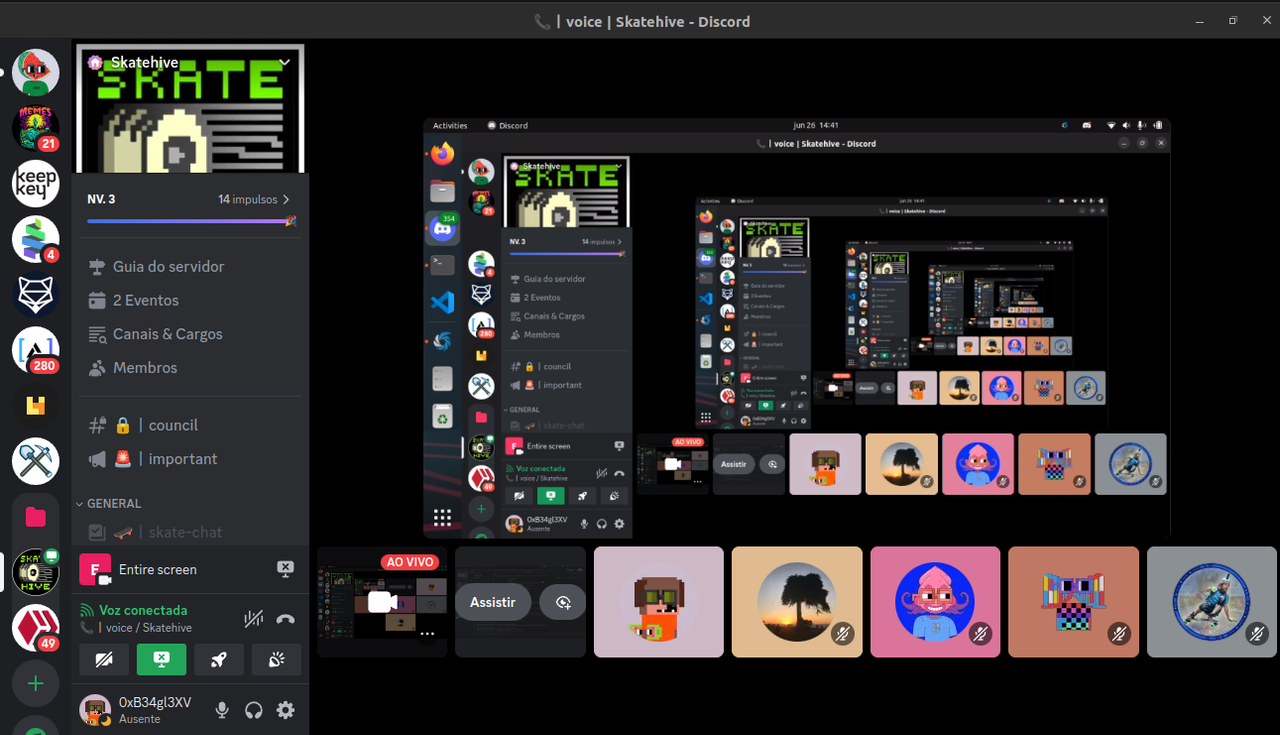
On your PC 💻
1. Select your Discord Server.
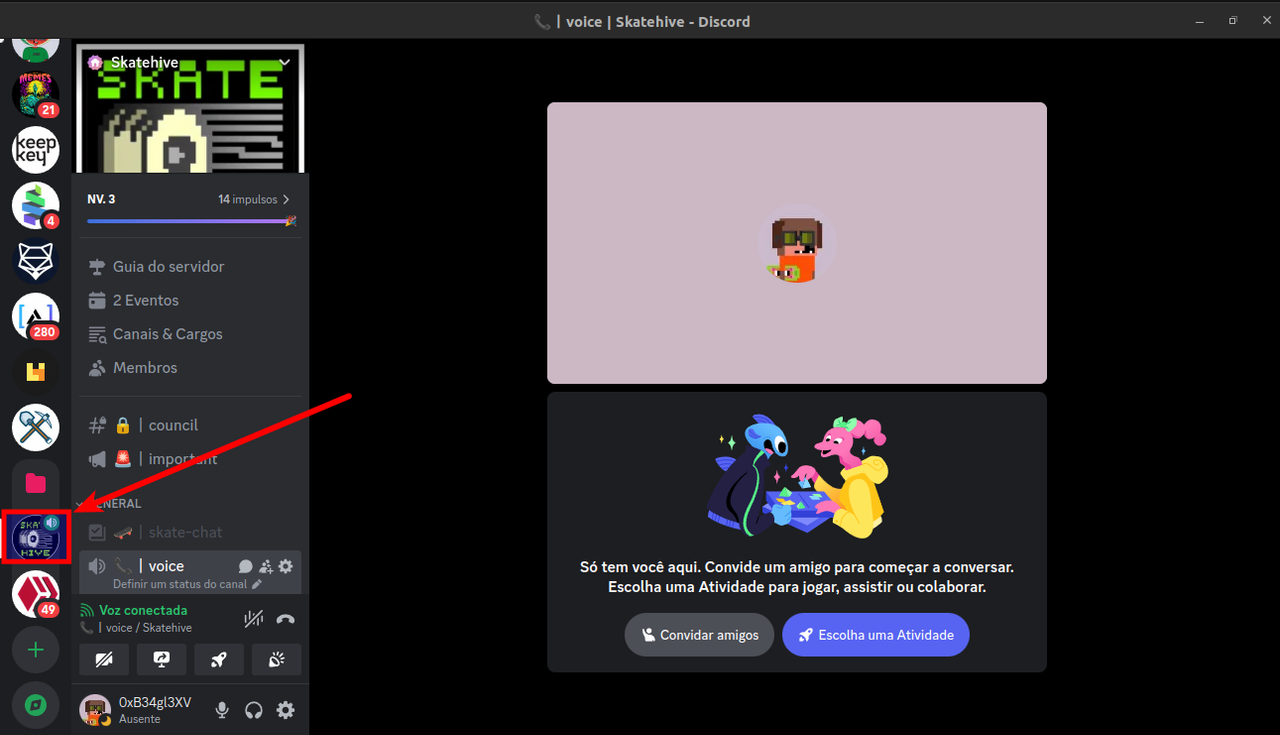
2. Click on the share screen icon.
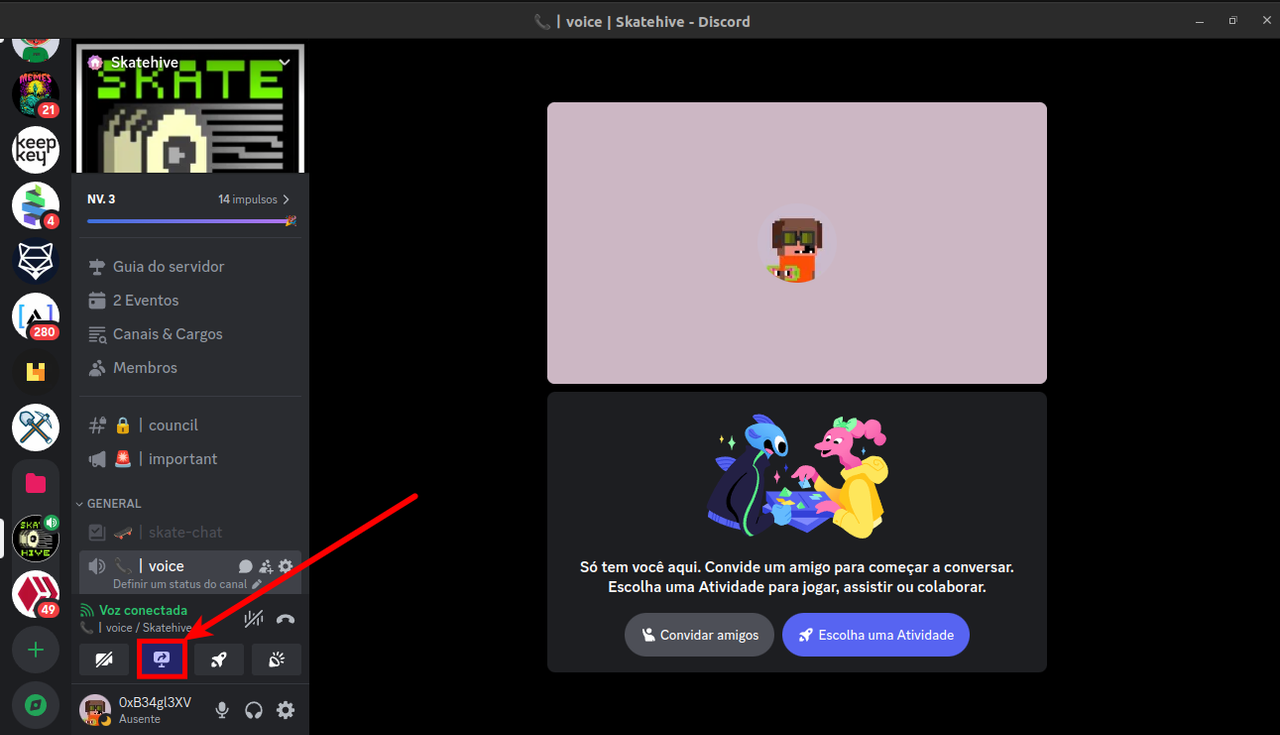
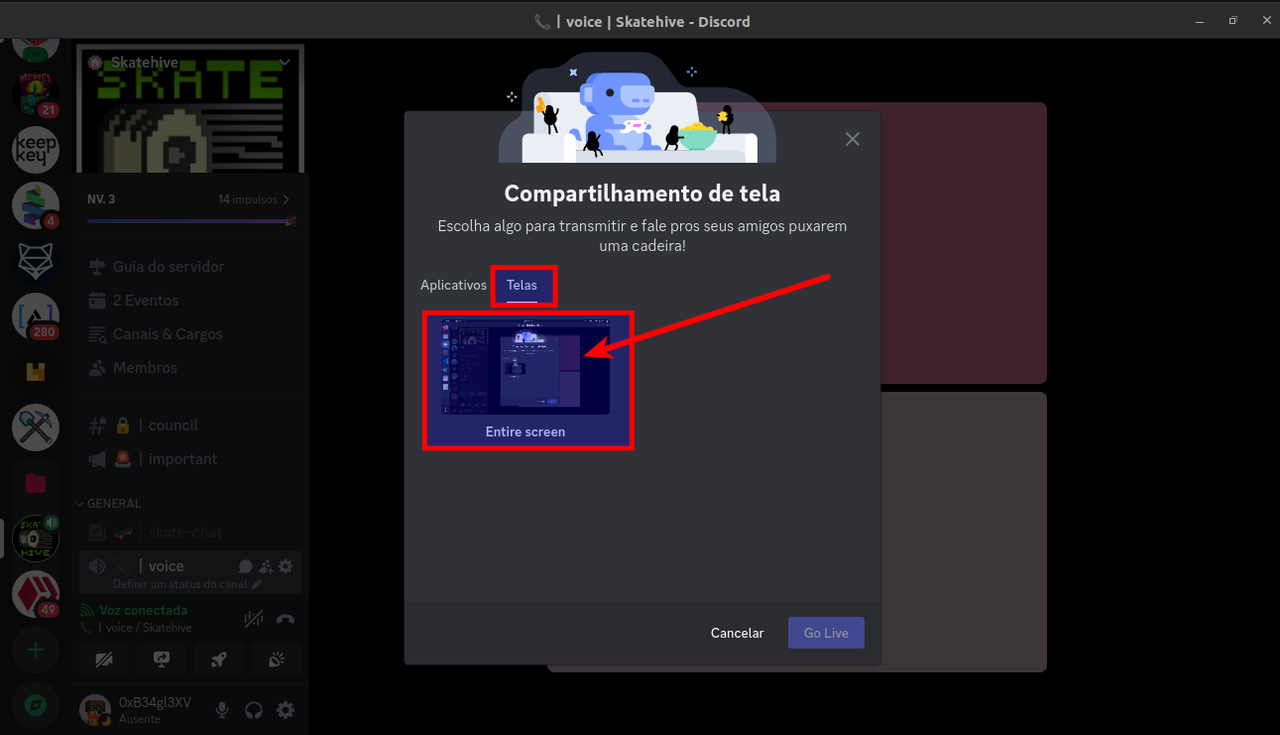
3. Click on the Screen Button, and then click on the Entire screen.
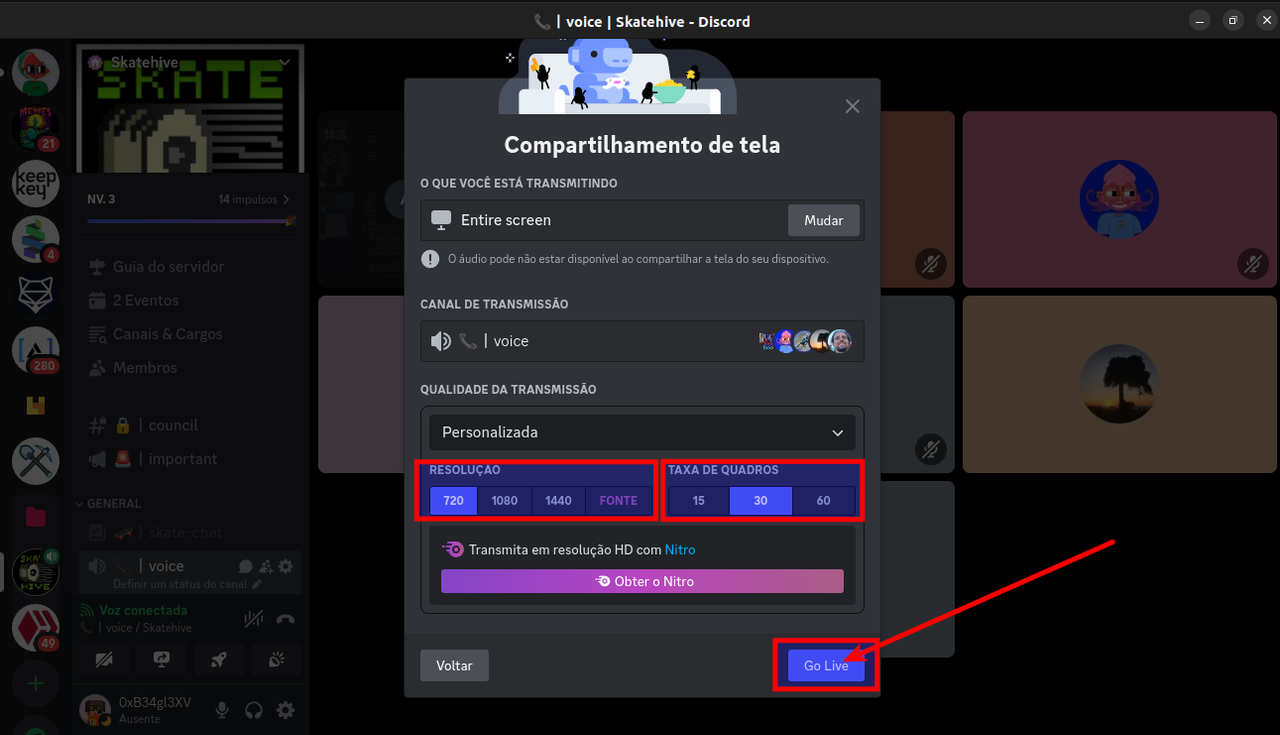
4. Choose your better screen resolution to share and then click on the button "Go Live".
5. Yeah, You're sharing your screen!
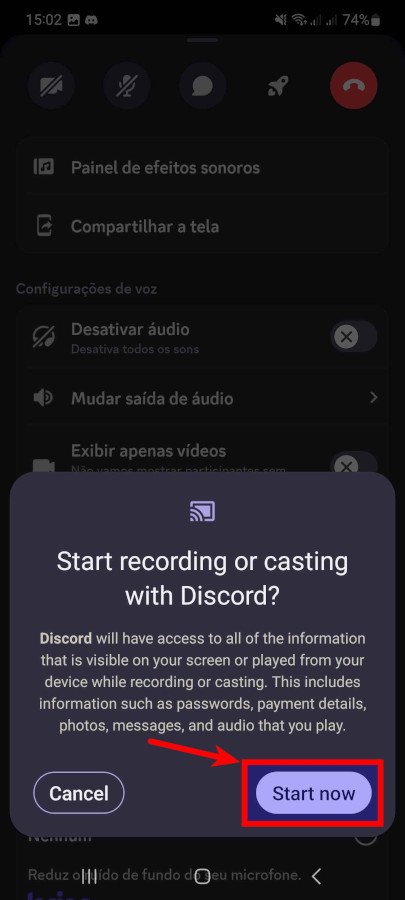
On your Mobile 📱
1. Select your Discord Server.
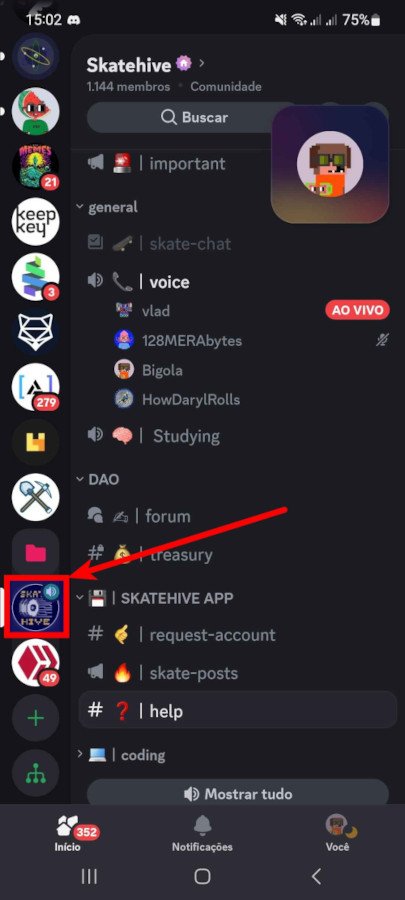
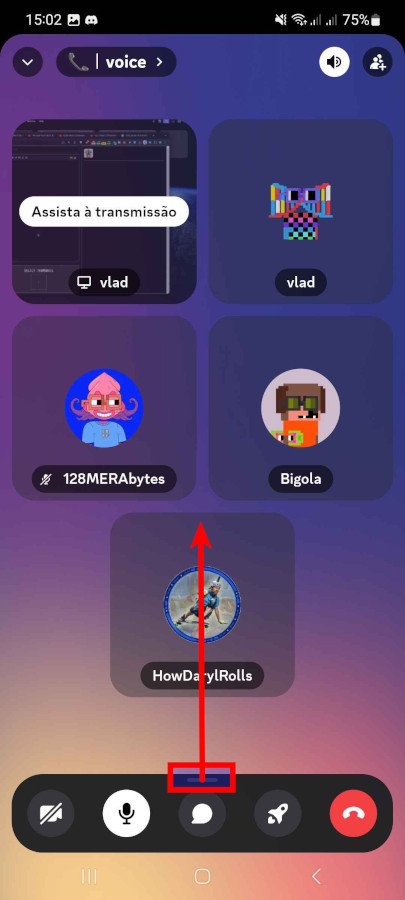
2. Drag the bottom menu bar up.
3. Select Share your Screen.
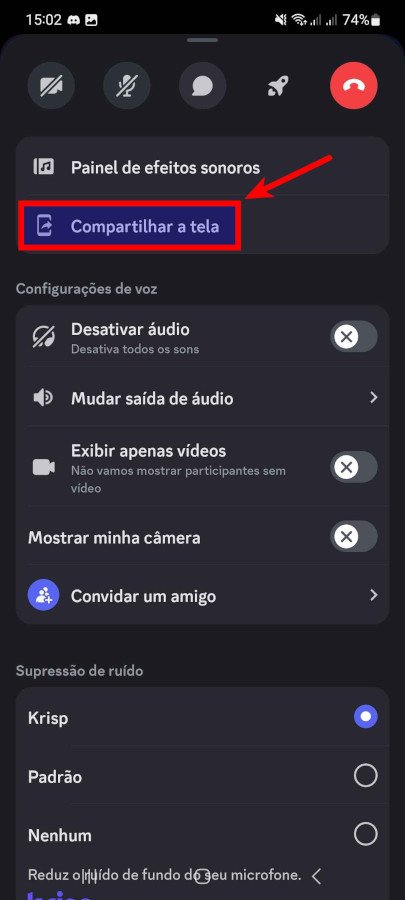
4. Select Start now.
Now we can help you ⌐◨-◨

Replies (2)
thanks for looking out for all our peeps
Congratulations @skatehacker! You have completed the following achievement on the Hive blockchain And have been rewarded with New badge(s)
Your next target is to reach 700 replies.
You can view your badges on your board and compare yourself to others in the Ranking
If you no longer want to receive notifications, reply to this comment with the word
STOPCheck out our last posts: