

Community post
Setting up your own splinterlands bot
While searching for a splinterlands bot I stumbled across the following github repository:
https://github.com/alfficcadenti/splinterlands-bot
The author of the project https://hive.blog/@a1492dc or https://hive.blog/@splinterlava has graciously made his project open source and thus created the possibility for all of us to let the computer do some of the DEC farming work for us.
Here is a little documentation on how you can get this bot running locally too.
Auf der Suche nach einen Bot für Splinterlands bin ich über folgendes Github Repository gestolpert:
https://github.com/alfficcadenti/splinterlands-bot
Der Author des Projekts https://hive.blog/@a1492dc bzw. https://hive.blog/@splinterlava hat uns sein Projekt in Form von open source software zur Vergügung gestellt und somit für uns alle die Möglichkeit geschaffen, den Computer ein wenig für uns arbeiten zu lassen.
Es folgt eine kleine Dokumentation wie auch ihr diesen Bot lokal auf euren Computer zum laufen bringen könnt.
Download the source code
Navigate to the terminal and execute the following command:
git clone https://github.com/alfficcadenti/splinterlands-bot.git
Den Quellcode runterladen
Navigiere in das Terminal und führe folgenden Befehl aus:
git clone https://github.com/alfficcadenti/splinterlands-bot.git

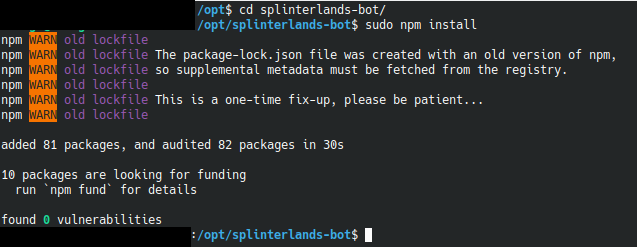
Install the dependencies
execute the following command
cd splinterlands-bot/
npm install
Die Abhängigkeiten installieren
führe folgenden Befehl aus
cd splinterlands-bot/
npm install
Configure the bot
execute the following command
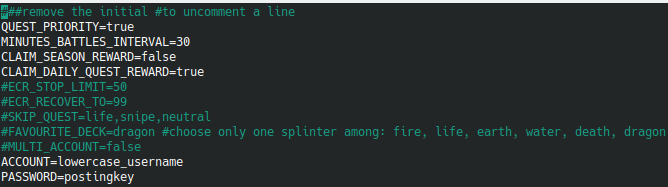
vim .env-example
to open the configuration file. Change the values of account and password.
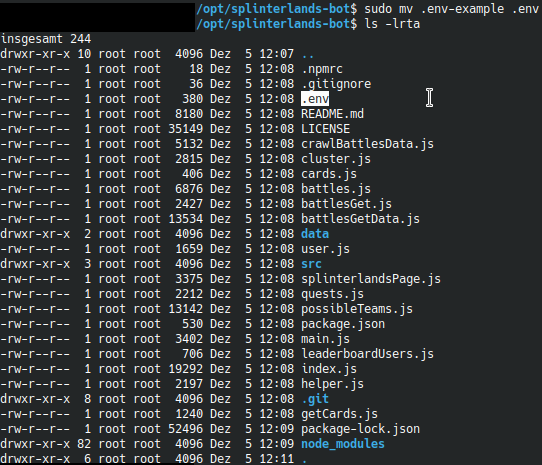
Execute
mv .env-example .env
to rename the file to .env
Den Bot konfigurieren
führe folgenden Befehl aus:
vim .env-example
um die Konfigurationsdatei zu öffnen und ändere entsprechend die Werte von Account und Passwort.
mv .env-example .env
um diese umzubennen.
Start the bot
execute the following command:
node main.js
Den Bot starten
führe folgenden Befehl aus:
node main.js
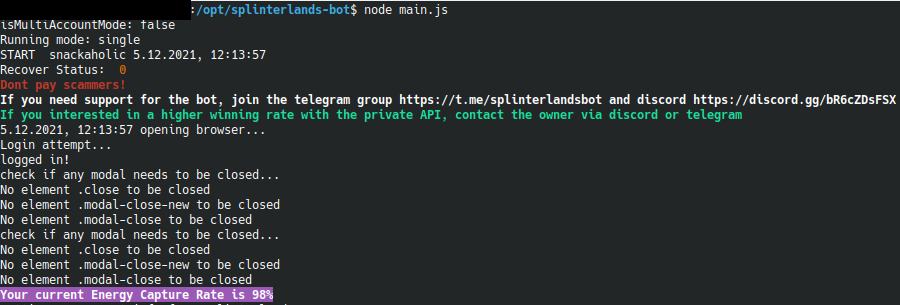
Hint: Hit ctrl + c to stop the bot.
Add splinterlands service
To start the bot automatically at system startup, the following steps are necessary
cd /etc/systemd/system
vim splinterlands.service
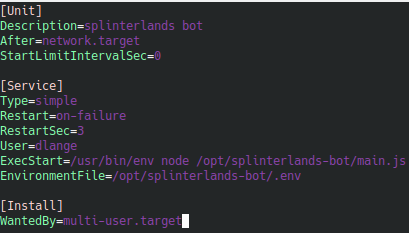
inform the system about the new service
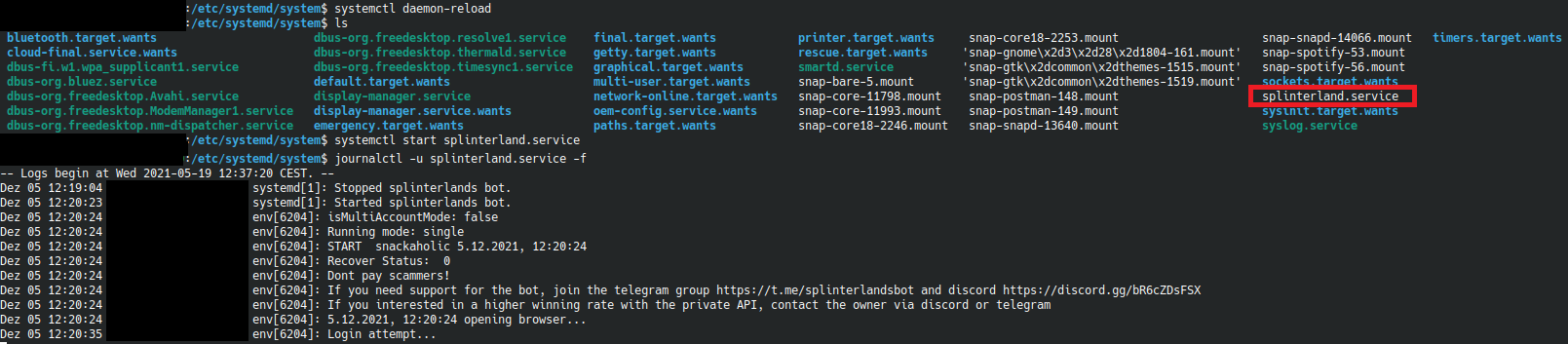
systemctl daemon-reload
start the new service
systemctl start splinterland.service
read the logs of the service
journalctl -u splinterland.service -f
to start the service after boot
systemctl enable splinterland.service
Bot als Service bereitstellen
Um den Bot beim Systemstart automatisch mit zu starten, sind ein paar Handgriffe notwendig
cd /etc/systemd/system
vim splinterlands.service
über den neuen Service informieren
systemctl daemon-reload
den Service starten
systemctl start splinterland.service
die logs des Services ansehen
journalctl -u splinterland.service -f
beim booten mitstarten
systemctl enable splinterland.service

Replies (2)
Any chance of doing a video tutorial of showing setup/the bot in action once you set it up? I'd be curious to see how well it works.
Im using it since 2 seasons, only life splinter cards owned. It got me atleast to bronze 1 every time (setting playing for quests to false though). I think if I had a basic setup for every splinter, it could for sure play within the silver league without human interaction needed