

Community post
Kinemaster
KINEMASTER
So i have been using this video editor for a while now i think for about a year now
Kinemaster is a mobile editor for android it is free to download but once exported includes a small watermark but can be removed with its pro version which includes more features for a monthly fee
I have used kinemaster to compile videos audio and other layers. It is easy to use with almost all the basic features in a pc editor.
Other editors dont have some of the features kinemaster have like:
- Crop
- Layering(media,effects,overlay,text and even your own handwriting)
- Animations/transitions
- Audio extracting
- Cutting dividing
- Adding your own voice
- Rotating
- Clip graphics
- Color filter
- Color adjusment
- Vignette
- Audio adjustment
- Audio filter
- Inserting freeze frame
- Looping of audio
- Caputuring frames
- Speed up and speed down
Ect
It is also easy to preview and export woth it able to export at full hd
TUTORIAL
Starting a project
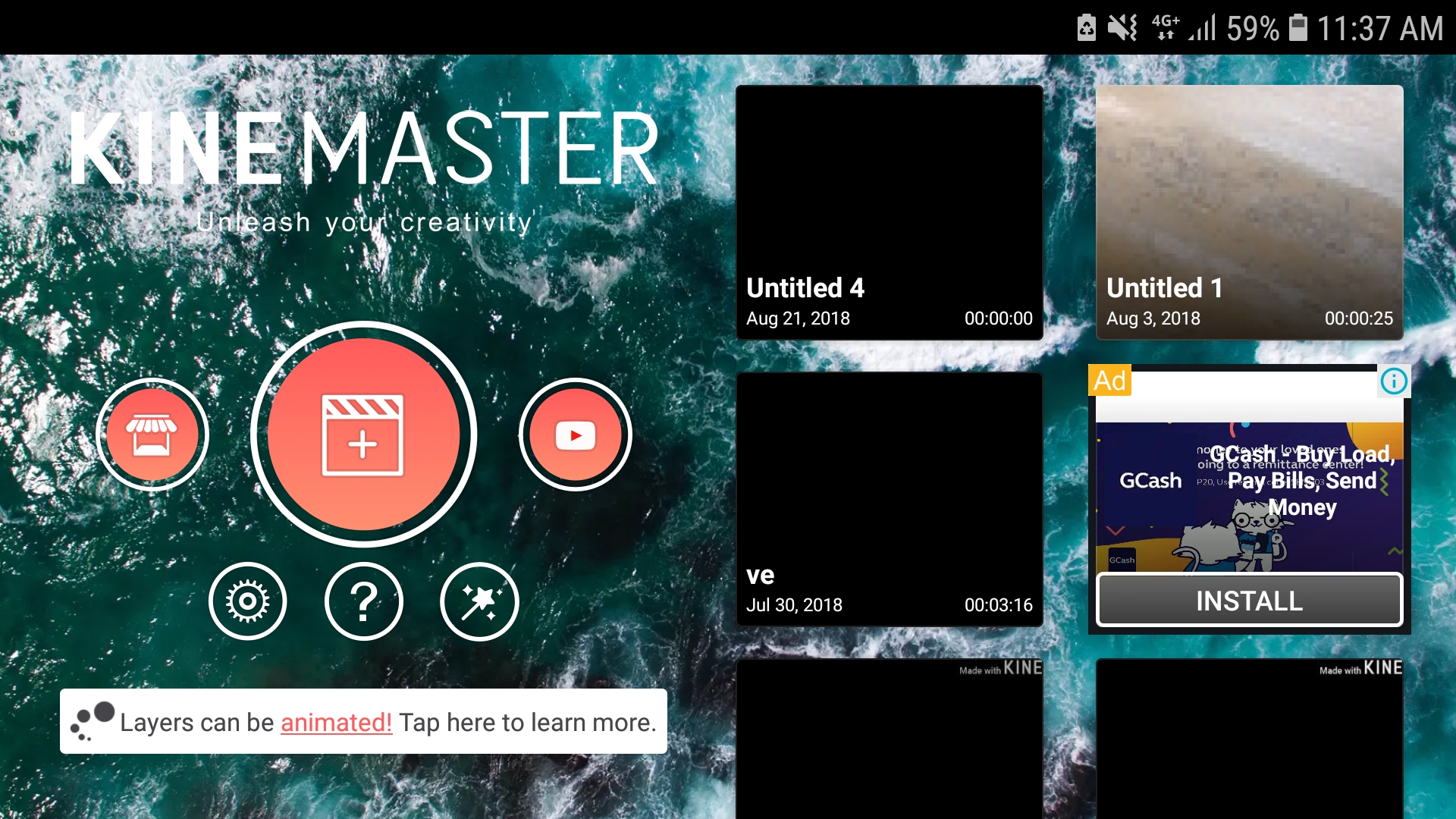
So when you start kinemaster you will see this

Simply click on the plus sign to get started
Adding media
So before we add media lets take a look at the panels
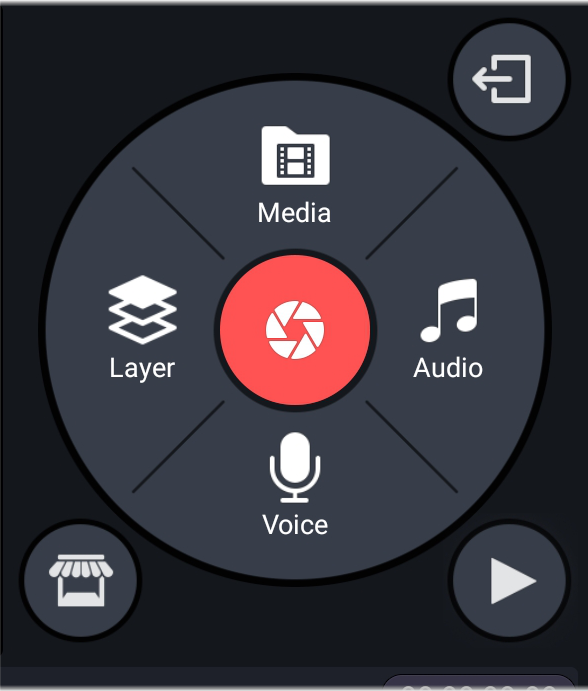
So here are the panels to add media simply press media and choose a picture/video that you want to edit
If you want to add another media just press it again and choose
But if you want to layer another media/text/effect/handwriting click the layer option and choose
Press audio if you want to add audio and voice if you want to add your own voice
The play button on the lower right of the panels is to preview the video
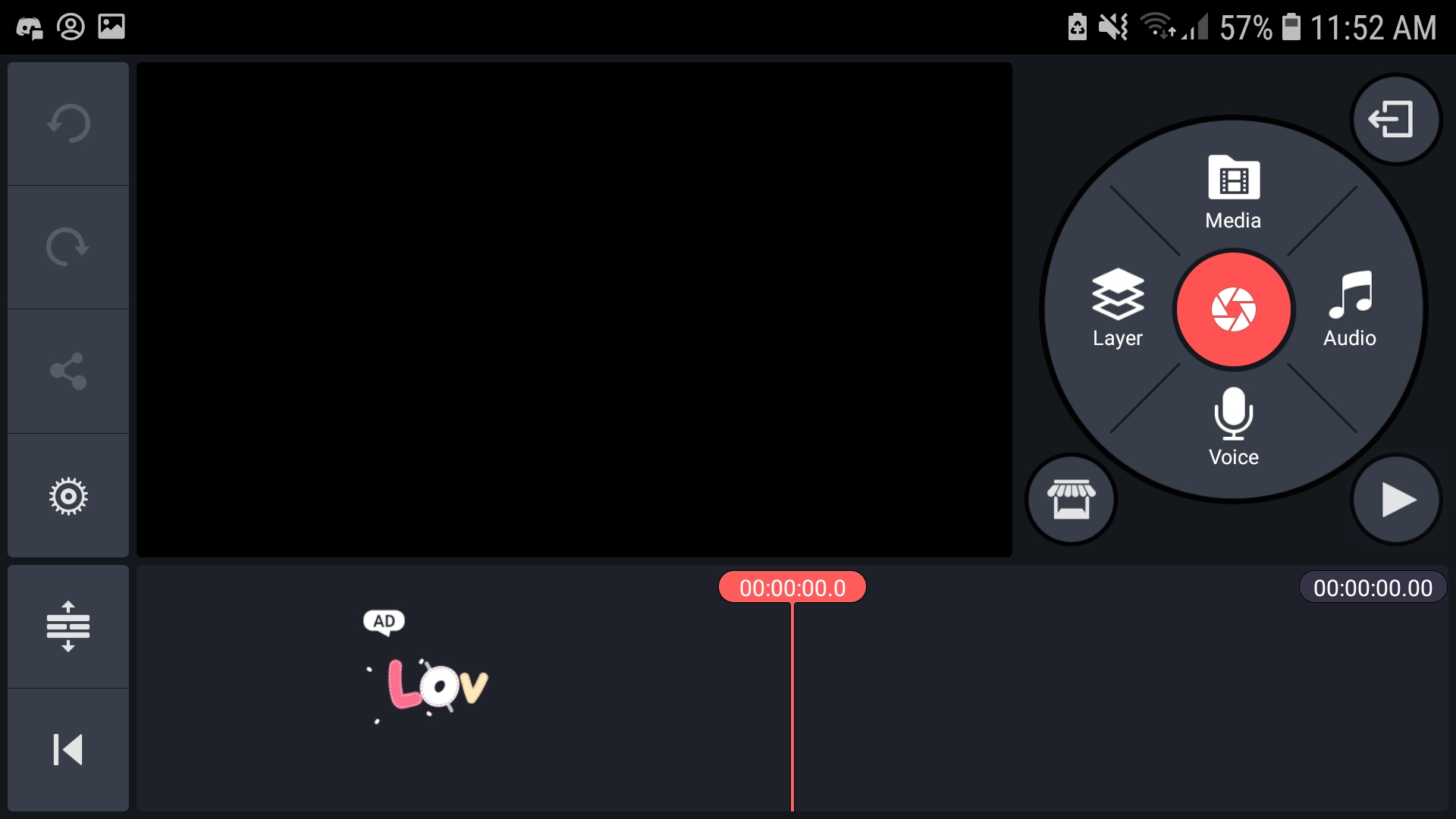
So here is the full view you will see
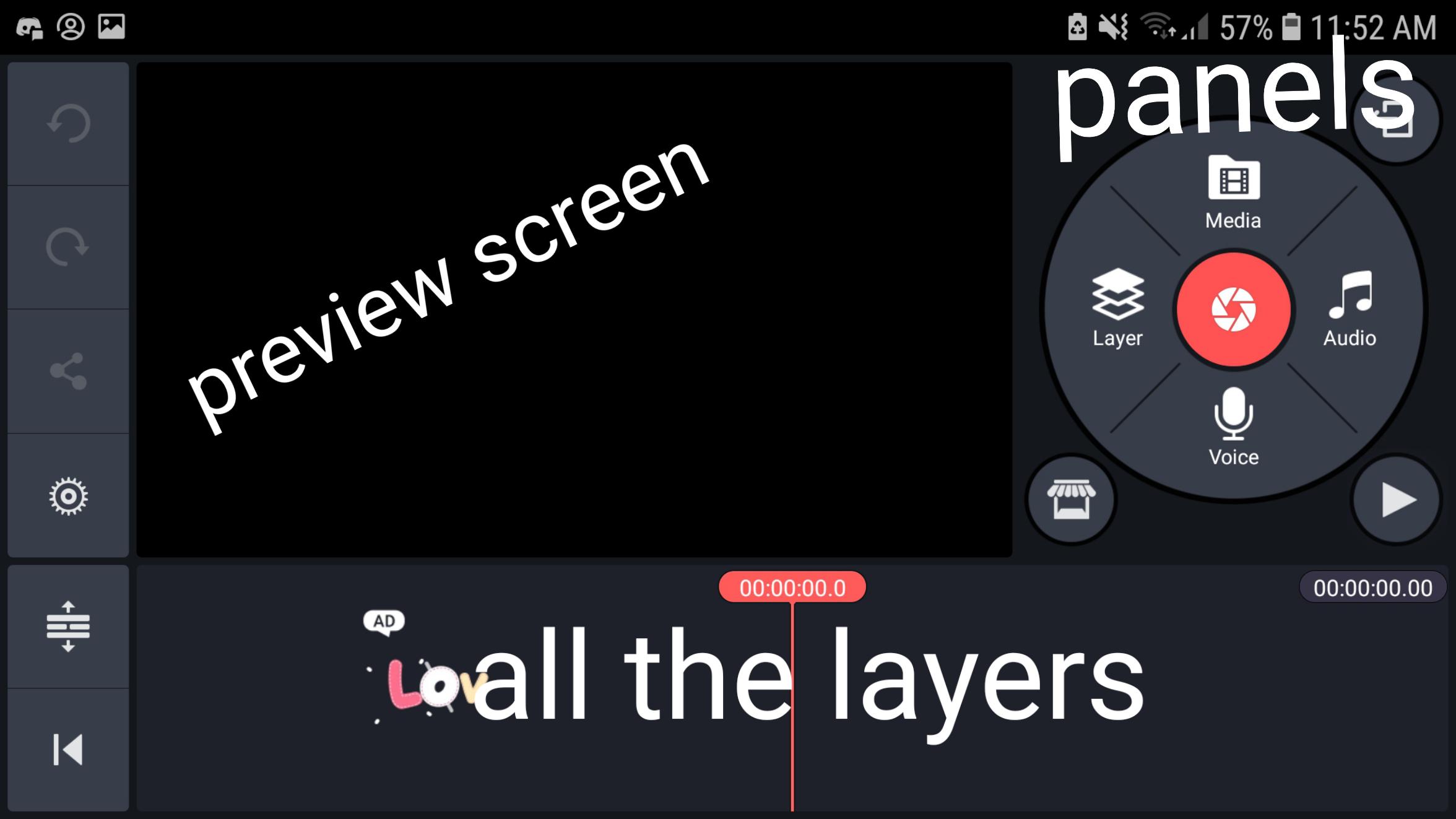
CUTTING/TRIMMING
Once you added your vid, at the lower part of your screen you will see the vid and the length of the vid (you can also zoom in and out) you can select the vid and drag your playhead to a specific time then you can trim left trim right split or add freeze frame
There are a lot more features and i can't put every detail here so i encourage you all to download and give it a try
Ps. As far as im aware its for android only
Replies (7)
Congratulations @xomegax! You have completed the following achievement on Steemit and have been rewarded with new badge(s) :
Click on the badge to view your Board of Honor.
If you no longer want to receive notifications, reply to this comment with the word
STOP@xomegax
You are absolutely right, you have given very good information about kineMaster.
Congratulations @xomegax! You have completed the following achievement on the Steem blockchain and have been rewarded with new badge(s) :
Click on the badge to view your Board of Honor.
If you no longer want to receive notifications, reply to this comment with the word
STOPDo not miss the last post from @steemitboard:
Congratulations @xomegax! You have completed the following achievement on the Steem blockchain and have been rewarded with new badge(s) :
Click on the badge to view your Board of Honor.
If you no longer want to receive notifications, reply to this comment with the word
STOPCongratulations @xomegax! You have completed the following achievement on the Steem blockchain and have been rewarded with new badge(s) :
Click here to view your Board of Honor
If you no longer want to receive notifications, reply to this comment with the word
STOPDo not miss the last post from @steemitboard:
Congratulations @xomegax! You have completed the following achievement on the Steem blockchain and have been rewarded with new badge(s) :
Click here to view your Board of Honor
If you no longer want to receive notifications, reply to this comment with the word
STOPDo not miss the last post from @steemitboard:
Congratulations @xomegax! You have completed the following achievement on the Steem blockchain and have been rewarded with new badge(s) :
Click here to view your Board of Honor
If you no longer want to receive notifications, reply to this comment with the word
STOP