

Community post
Solve GitHub can't Show images
Recently, the image can't be loaded when I log in to GitHub. The GitHub page without the image looks very uncomfortable. (** Only give 9 points **)

First of all, I do the same as most people do. Swipe the page several times with a shake of my small hand, but it doesn't change; Oh My God ~~~~!
Don't waste precious time, the solution:
-
Open command window terminal (MacOS as example), input as follow:
sudo vim /etc/hosts
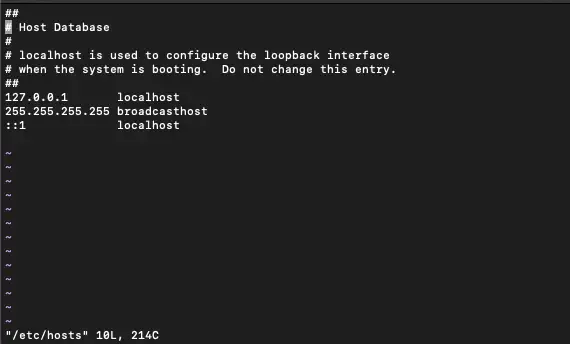
2.Through the vim command (press 'ESC' and then 'i' to enter the editing mode), fill in the relevant contents to the open file as follow:
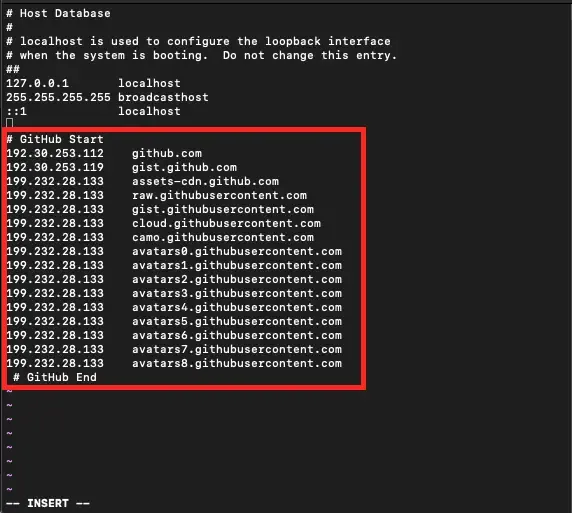
Key input segment (for copy)
# GitHub Start
192.30.253.112    github.com
192.30.253.119    gist.github.com
199.232.28.133    assets-cdn.github.com
199.232.28.133    raw.githubusercontent.com
199.232.28.133    gist.githubusercontent.com
199.232.28.133    cloud.githubusercontent.com
199.232.28.133    camo.githubusercontent.com
199.232.28.133    avatars0.githubusercontent.com
199.232.28.133    avatars1.githubusercontent.com
199.232.28.133    avatars2.githubusercontent.com
199.232.28.133    avatars3.githubusercontent.com
199.232.28.133    avatars4.githubusercontent.com
199.232.28.133    avatars5.githubusercontent.com
199.232.28.133    avatars6.githubusercontent.com
199.232.28.133    avatars7.githubusercontent.com
199.232.28.133    avatars8.githubusercontent.com
 # GitHub End
3.Via the vim command (press 'ESC', then input': WQ'), and then press 'enter', it is finished. Reopen the page, the images can be loaded, the problem has been solved and it's over.

Root Cause:
Use Google browser to access the GitHub webpage without pictures. Click ‘F12’, which has been silent for a long time, to see the following scene:
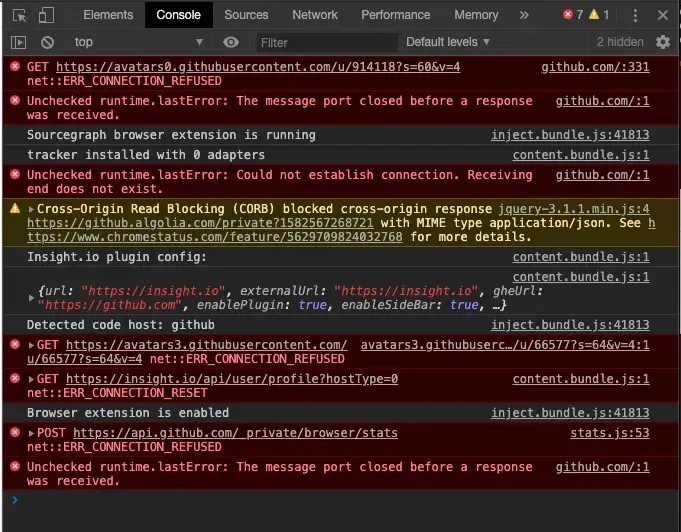
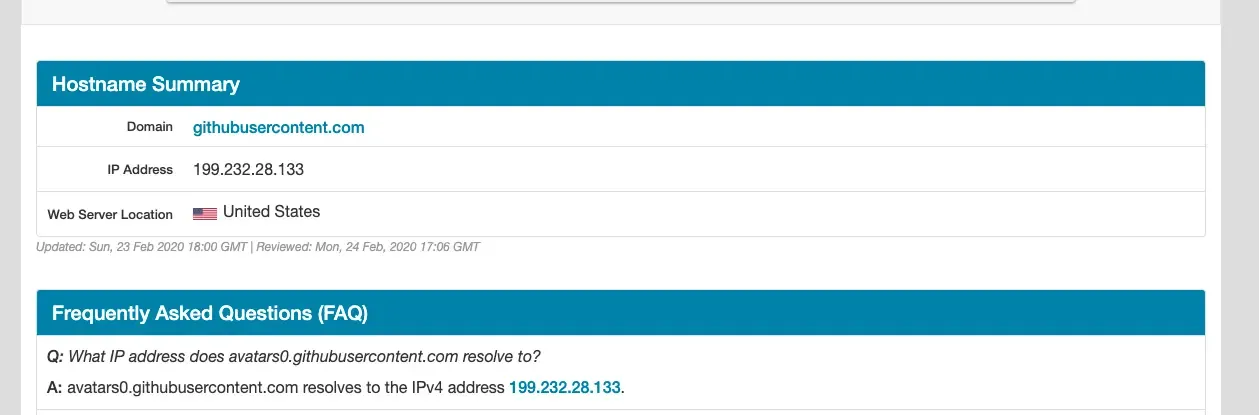
All kinds of connection errors are rejected. That must be a * * URL parsing error**,need to redirect it to the corresponding IP address.Open the URL ipaddress.com/and put each wrong URL into it to get the corresponding IP address, and collect it (solve one by one, and finally solve all the errors).
Replies (1)
The First